
How to Use SocialEcho with Meltwater: AI Social Workflow
Social media teams often face a split workflow: publishing and engagement live in one tool, while media monitoring and PR intelligence live in another. SocialEcho - All-in-One Social Media AI Workspace for Global Businesses handles the operational side—publishing, engagement, social listening, analytics, and AI automation across major platforms. Meltwater, a media intelligence and social listening platform, brings in earned media coverage, journalist relations, influencer discovery, and AI visibility tracking across 240+ languages.
Used together, they close the loop between what the world says about your brand and what your team does about it. This article explains how the combination works, how to set it up, and where it delivers the most value.
Why combine SocialEcho and Meltwater?
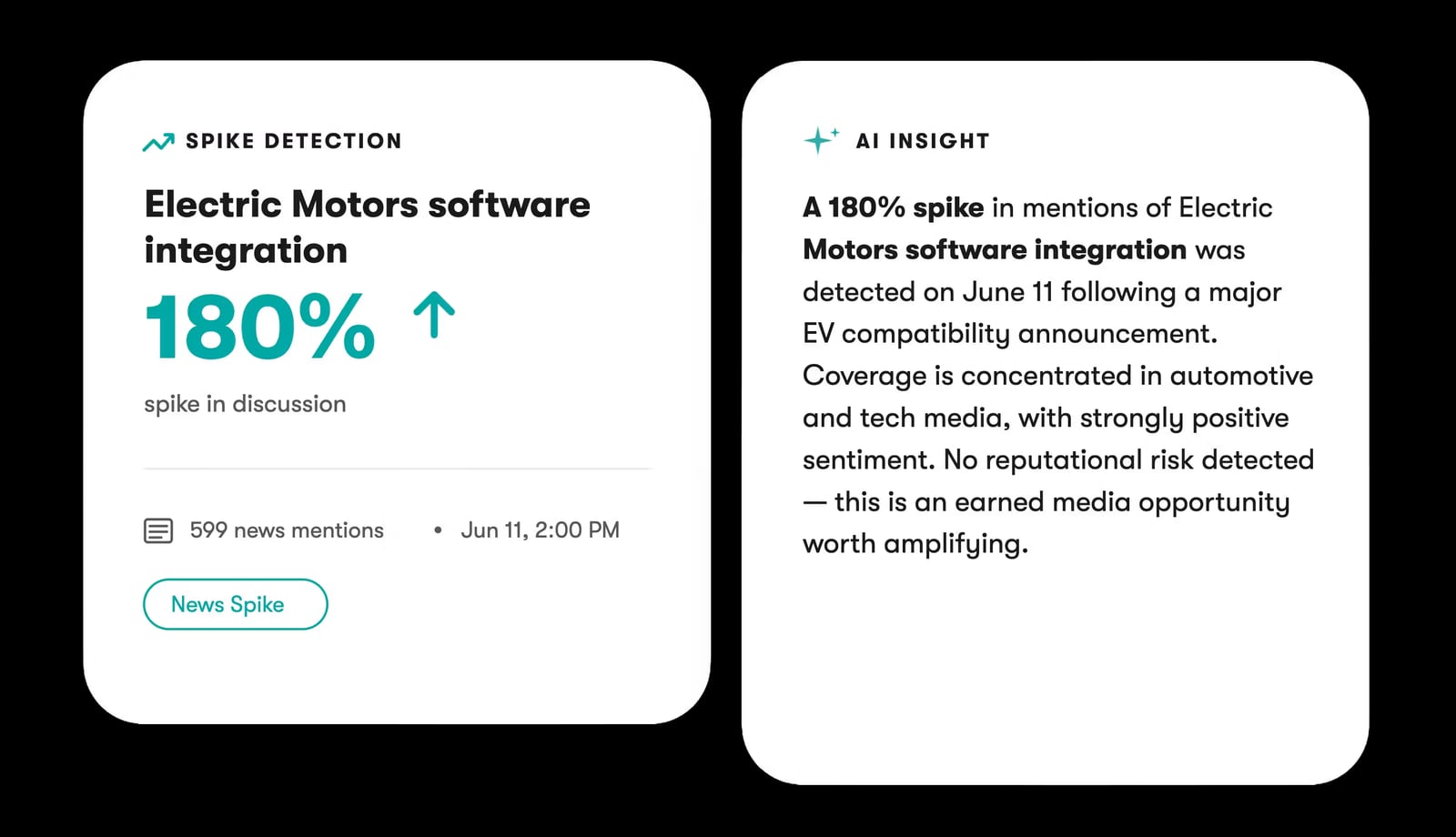
Meltwater product interface.
SocialEcho and Meltwater solve different but complementary problems. SocialEcho is built for day-to-day social execution: scheduling posts, managing comments and DMs, running AI-assisted replies, and tracking performance. Meltwater is built for intelligence: monitoring global media coverage, tracking social conversations at scale, discovering journalists and influencers, and understanding how AI platforms portray your brand.
The gap each tool leaves open is where the other adds value. SocialEcho's social listening captures platform-native conversations and engagement signals, but it does not ingest 1.3 billion documents daily from news, broadcast, and podcasts. Meltwater tracks earned media and PR impact, but it is not designed as a daily publishing and community management workspace.
Together, they let a team move from signal to action: Meltwater surfaces a spike in negative coverage or a journalist inquiry, and SocialEcho turns that insight into a scheduled response, a community reply, or a campaign adjustment.
How the workflow fits together
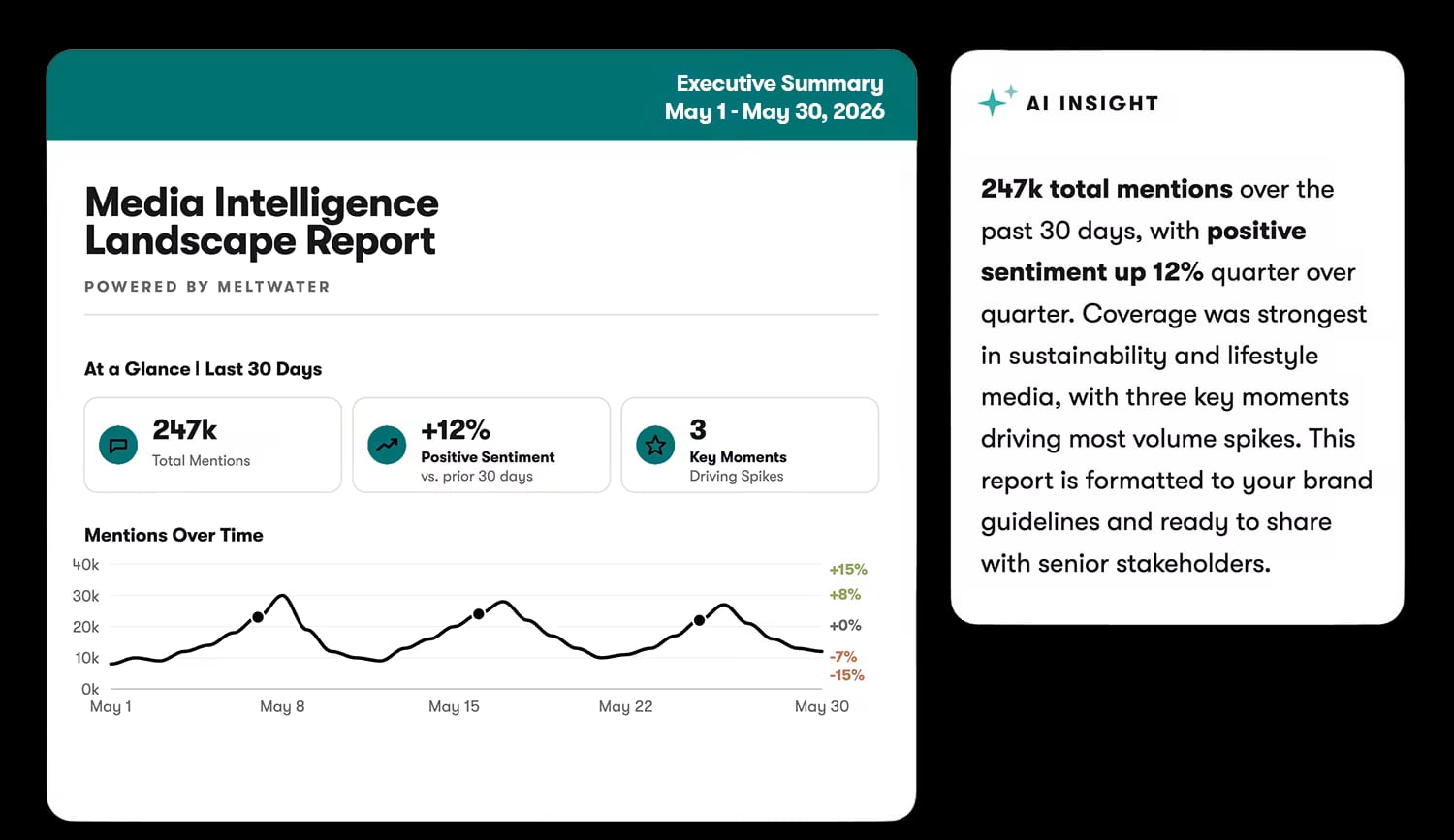
Meltwater product interface.
A practical combined workflow has four stages: listen, decide, act, and measure.
1. Listen across earned and owned channels
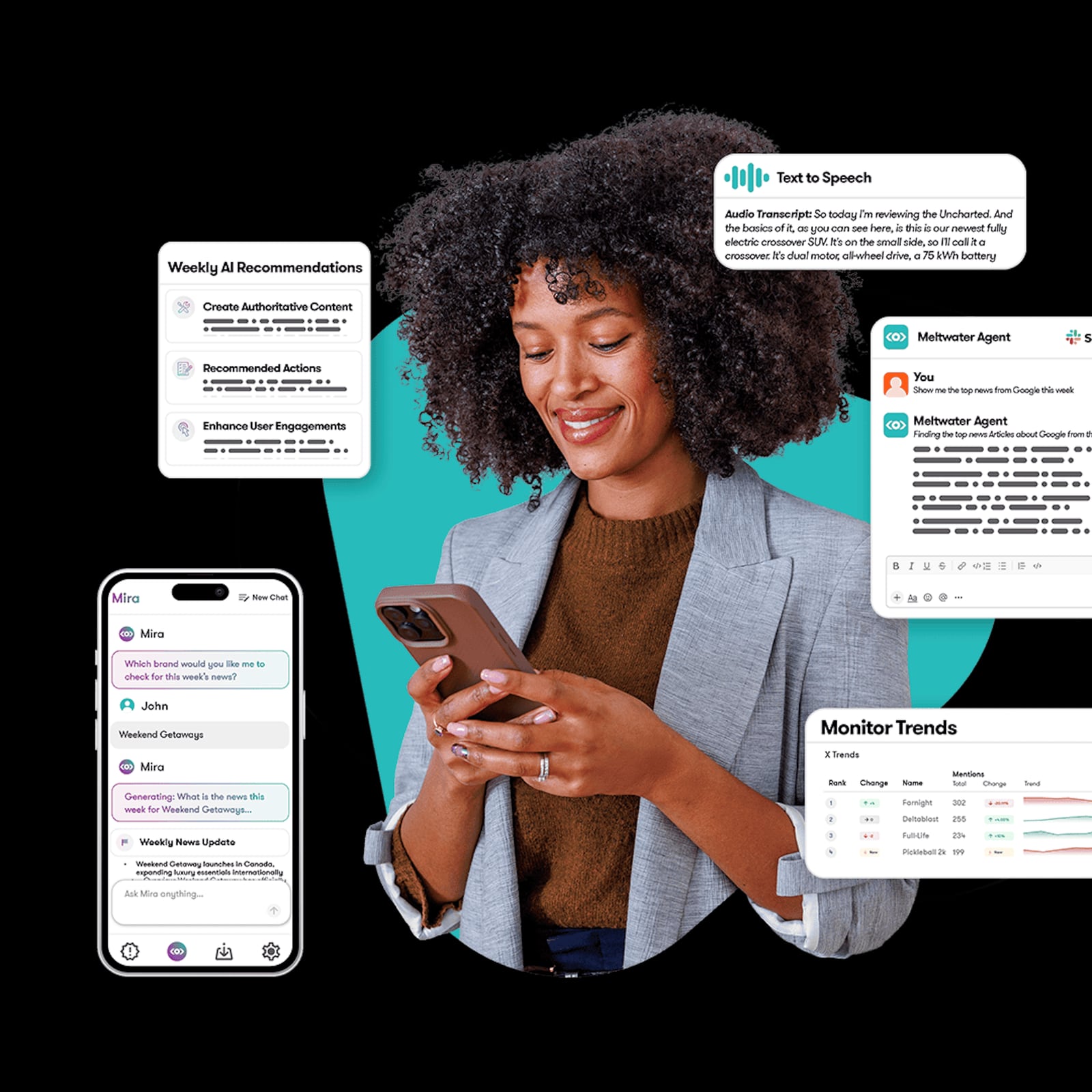
Use Meltwater Monitor to watch media coverage, social mentions, and AI-generated content about your brand. Monitor supports up to five content streams per view, drawing from Explore searches, media lists, author lists, tags, and RSS feeds. Streams refresh automatically at one-minute intervals, and you can sort by reach, relevance, sentiment, engagement, or Social Echo (the number of X and Facebook shares of editorial articles).
In parallel, SocialEcho's social listening tracks conversations and engagement on the platforms where your audience actually interacts—comments, replies, and direct messages. This is where intent often shows up first: a pricing question in a competitor's comment thread, a customer asking for support, or a creator tagging your brand.
2. Decide what deserves a response
Meltwater's AI Actions generate an instant overview of a content stream, helping you spot the story that matters without reading every mention. Sentiment overrides and duplicate detection keep the picture accurate. Use this to prioritize: is this a PR issue, a customer service opportunity, or a content moment?
SocialEcho's AI automation then helps route the decision into action. High-intent comments can trigger auto-replies or be assigned to a team member; negative sentiment can be flagged for escalation; positive coverage can be turned into a scheduled post or a community thank-you.
3. Act in the channel where it matters
Once a signal is prioritized, SocialEcho handles execution. Publish a response, schedule a campaign, or engage directly in the comments. SocialEcho's cross-platform publishing and engagement tools mean the team does not need to switch tools to respond to what Meltwater surfaced.
For PR teams, Meltwater's media relations features help find the right journalists and personalize outreach. When coverage lands, SocialEcho can amplify it by scheduling social posts that link to the article, or by engaging with the journalist and readers on social platforms.
4. Measure the combined impact
SocialEcho's analytics show how your owned social performance responds—engagement, reach, and audience growth. Meltwater's dashboards unify paid, earned, and owned media, and its reporting helps prove PR impact to leadership. Together, you can connect a media mention to a social conversation to a measurable outcome.
Setup steps: connecting the workflow
Meltwater product interface.
You do not need a native integration to get value from SocialEcho and Meltwater together. The combination works through shared processes and data handoffs.
Step 1: Define your monitoring universe in Meltwater
Create Explore searches for your brand, key products, competitors, and industry terms. Build media lists for the journalists and publications that matter. Then set up Monitor views that combine these sources into streams your team can review daily. Use the "Since Last Viewed" filter to focus on new mentions only.
Step 2: Mirror the most important searches in SocialEcho
Set up SocialEcho's social listening with the same keywords and competitor names, but tuned to platform-native conversations. This ensures that a mention in a news article (Meltwater) and a mention in a comment thread (SocialEcho) are both captured, without duplicating effort.
Step 3: Agree on escalation rules
Decide which signals trigger which actions. For example: negative sentiment in Meltwater triggers a review in SocialEcho's inbox; a high-intent comment in SocialEcho triggers a sales follow-up; a journalist inquiry in Meltwater triggers a PR response and a scheduled social post.
Step 4: Connect reporting
Export Meltwater reports for earned media impact and combine them with SocialEcho's social analytics in a shared dashboard or weekly report. If your team uses Salesforce, Meltwater's integration can bring media intelligence into your CRM, while SocialEcho's analytics show the social side of the same customer journey.
Practical examples
Meltwater product interface.
Example 1: A product issue surfaces in the news
Meltwater Monitor flags a news article about a product defect, sorted by reach and sentiment. The AI Actions summary confirms the story is spreading. The team uses SocialEcho to publish a holding statement, schedule a follow-up post with the fix, and auto-reply to common questions in the comments. SocialEcho's analytics track sentiment recovery over the next 48 hours, while Meltwater tracks media coverage volume.
Example 2: A competitor's comment section reveals demand
SocialEcho's competitor monitoring spots users asking about pricing and specifications in a rival's comment thread. The team captures these high-intent leads and routes them to sales. Meanwhile, Meltwater's social listening shows whether the same conversation is happening in news coverage or forums, informing a broader content response.
Example 3: An influencer campaign needs measurement
Meltwater's influencer marketing features help identify creators and track campaign coverage. SocialEcho monitors the influencer's posts across TikTok, YouTube, and X, tracking engagement and filtering comments for purchase intent. The combined data shows which creators drove both media buzz and social conversion.
Where each tool leads
SocialEcho is the stronger choice for teams that need a daily social media workspace with AI publishing, engagement automation, and platform-native listening. Meltwater is the stronger choice for PR, communications, and marketing leaders who need global media intelligence, journalist relations, and AI visibility tracking.
If your team is evaluating social media management tools more broadly, see our comparison of SocialEcho vs Planable vs Dash Social or the top 10 social media management software for 2026. For teams focused on creator workflows, our guide to content creators' social media management workflow covers how SocialEcho supports publishing, listening, and analytics.
Related reading
- SocialEcho vs Emplifi: AI Social Media Management Compared 2026 - Compare SocialEcho and Emplifi for AI social media management in 2026: publishing, auto-replies, listening, analytics, API access, and pricing fit.
- NapoleonCat Review 2026: Inbox, Moderation, Pricing Fit - Evidence-based NapoleonCat review for 2026: Social Inbox, AI auto-moderation, pricing signals, setup, pros and cons, and who should choose it.
Sources and further reading
- Meltwater: Media Intelligence, Social Listening, AI Tracking - Turn media monitoring, social listening and AI signals into actionable intelligence with Meltwater. Make faster, confident decisions and prove PR impact.
- Meltwater Monitor - What Is Monitor?Monitor is Meltwater's real-time media tracking and content management tool. It enables you to watch multiple content streams simultaneously, manage articles as they surface, filter and sort coverage, and take direct action on mentions — all in one place. What you can do with Monitor...
- Top 10 Social Media Monitoring Tools for 2026 - Compare the top social media monitoring tools of 2026. Reviewing SocialEcho, Brandwatch & more for competitor tracking, social listening, and influencer auditing.
FAQ
Do SocialEcho and Meltwater have a native integration?
There is no native integration between the two platforms. The combination works through shared processes: mirroring keywords, aligning escalation rules, and combining reports. Teams that need a single tool for both social execution and media intelligence should evaluate each platform's native capabilities.
Can I use SocialEcho for social listening if I already have Meltwater?
Yes. SocialEcho's social listening is tuned to platform-native conversations and engagement, which complements Meltwater's broader media monitoring. Many teams use Meltwater for earned media and PR intelligence, and SocialEcho for daily community listening and response.
What is Social Echo in Meltwater Monitor?
Social Echo is a sorting metric in Meltwater Monitor that counts the number of X (formerly Twitter) and Facebook shares of an editorial article. It helps identify coverage that is spreading widely on social platforms. It is not the same as the SocialEcho product.
Which tool should I start with?
Start with the problem you need to solve first. If your priority is publishing, engagement, and AI-assisted social workflows, start with SocialEcho. If your priority is media coverage, journalist outreach, and AI visibility tracking, start with Meltwater. Most teams that need both eventually adopt both and connect them through process.
Conclusion
SocialEcho and Meltwater are not competitors; they are complementary layers of a modern social and media intelligence stack. SocialEcho handles the operational work of publishing, engaging, and automating across social platforms. Meltwater handles the intelligence work of monitoring media, tracking conversations, and proving PR impact. Connected through shared keywords, escalation rules, and combined reporting, they help teams move from signal to action faster—and prove the impact of both social and PR efforts in one view.