
Sendible Review 2026: Is It the Right Social Media Tool for Your Agency?
Sendible positions itself as an all-in-one social media management platform purpose‑built for agencies, franchises, and multi‑location brands. After working inside the tool and examining public user feedback from platforms like Trustpilot, it’s clear that Sendible shines when you need to organize dozens of clients, bulk‑schedule content, and deliver white‑labeled reports. Yet it also carries limitations that could frustrate teams that depend on visual planning or bulletproof publishing reliability.
At SocialEcho, we take a hands‑on approach to software reviews, blending real usage, customer sentiment, and competitive context. This Sendible review breaks down exactly what the platform does well, where it stumbles, and whether its pricing and feature set align with your workflow.
What Is Sendible?
Sendible Review 2026: Features, Pricing & Honest Verdict product interface and feature overview.
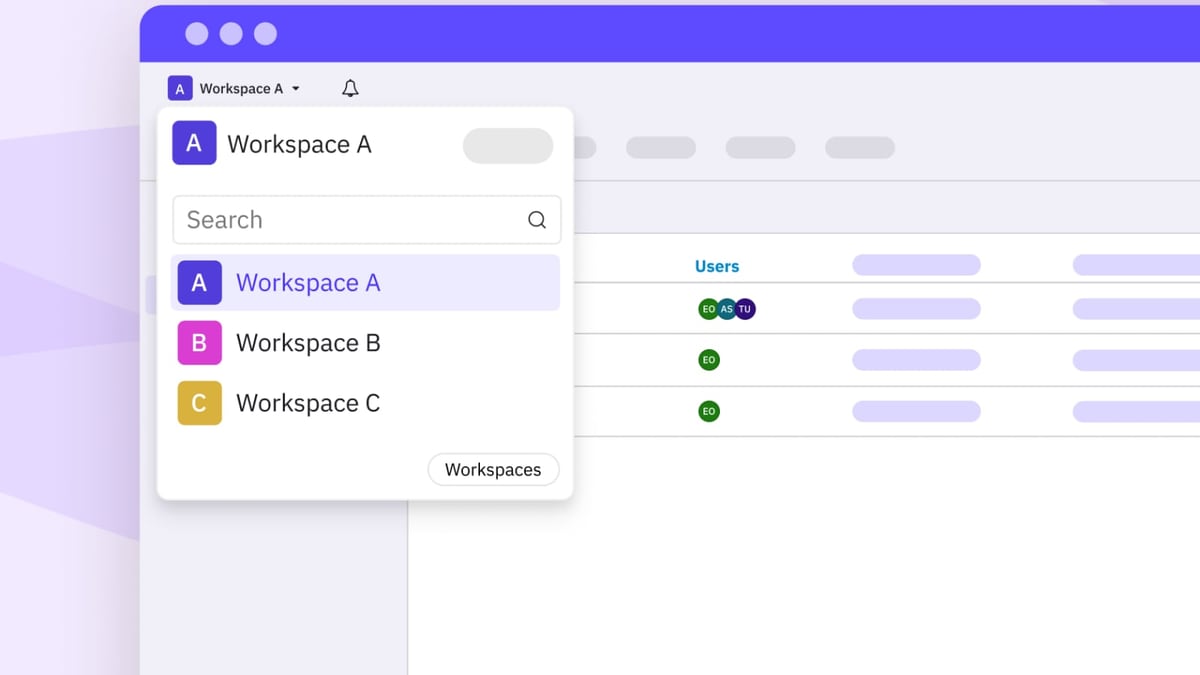
Sendible is a cloud‑based social media management suite that unifies publishing, engagement, analytics, and team collaboration. Its core differentiator is the Workspaces architecture: every client, brand, or location lives in its own isolated workspace, making it easy to juggle dozens of social profiles without mixing up campaigns. The platform covers all major networks — Facebook, Instagram, TikTok, X (Twitter), LinkedIn, Google Business Profile, and more — and includes over ten integrations such as Canva, Dropbox, and Google Drive to keep assets at your fingertips (source: Sendible’s about page).
Beyond basic scheduling, Sendible packages features that directly tackle the pain points of high‑volume social management:
- Smart Compose Box for centralised posting across multiple profiles.
- Bulk Import to plan months of content from a CSV.
- Priority Inbox that merges comments and messages into a single stream.
- Automated Reports with white‑label branding.
- AI Assist for generating captions and optimizing copy.
- Client Connect for secure client onboarding without password sharing.
Key Strengths of Sendible
Sendible Review 2026: Features, Pricing & Honest Verdict product interface and feature overview.
Workspaces and Client Organisation
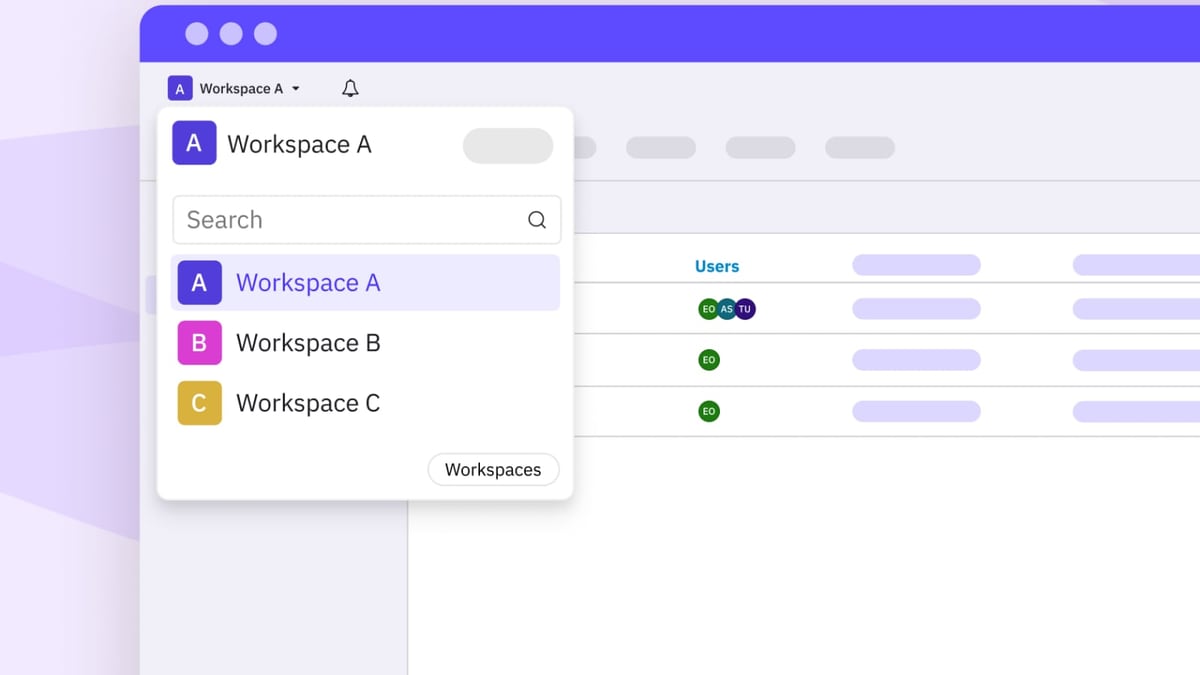
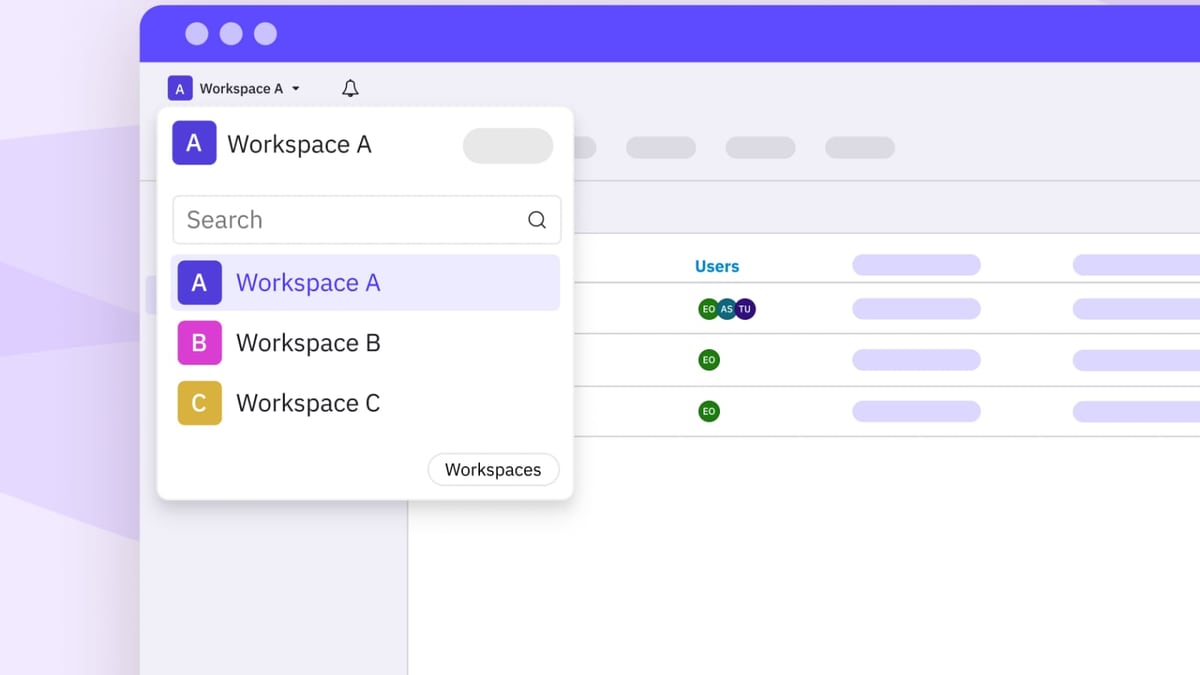
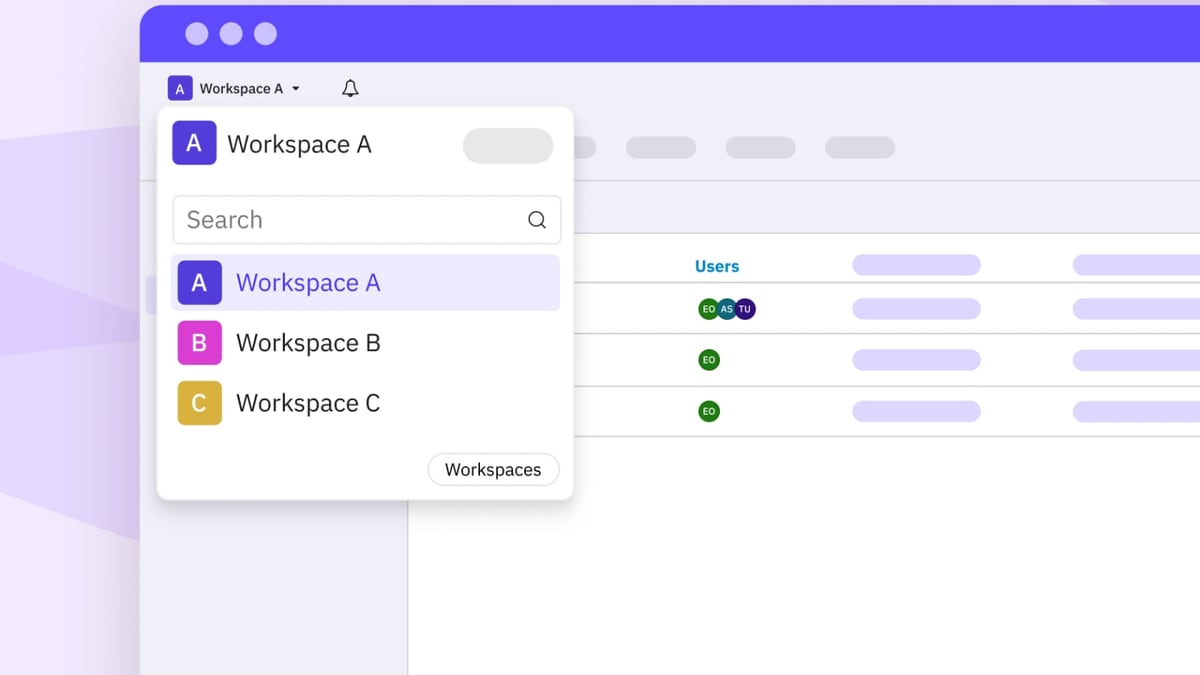
One of the platform’s strongest suits is its Workspace model. Each workspace functions as a mini‑dashboard, complete with its own profiles, content queues, and reports. For agencies managing 20+ clients, this compartmentalisation dramatically reduces the chance of posting to the wrong account. You can customise permissions, so freelancers or junior team members only see what they need.
Bulk Import and Dynamic Fields
Sendible’s bulk scheduling goes beyond a simple CSV upload. You can use Dynamic Fields to personalise posts at scale — for example, inserting a client’s location name automatically into a template. This is a lifesaver for multi‑location franchises that want to push brand‑consistent messaging while keeping a local flavour. The Content Library lets you pre‑load batches of evergreen posts and recycle them via Smart Queues, which maintain a consistent publishing cadence without manual effort.
Centralised Engagement with Priority Inbox
Managing social interactions across dozens of profiles usually means hopping between native apps. Sendible’s Priority Inbox aggregates comments, direct messages, and mentions from all connected accounts. You can reply, hide comments, or assign them to a team member without leaving the tool. For agencies that promise response‑time guarantees, this unified inbox saves hours each week.
White‑Label Analytics and Automated Reports
A standout for client‑facing teams is Sendible’s automated reporting. You can design fully branded reports, schedule them to run daily, weekly, or monthly, and have them emailed directly to stakeholders. The UTM tracking feature attaches campaign parameters automatically, giving you cleaner data inside your analytics tools. The platform also offers an Optimal Times recommendation based on past engagement, which takes some of the guesswork out of scheduling.
Where Sendible Falls Short
Sendible Review 2026: Features, Pricing & Honest Verdict product interface and feature overview.
No tool is perfect. While Sendible ticks many boxes for high‑volume publishing, several friction points emerge in daily use:
- Reliability Issues: A recurring theme in both user reviews and competitor analyses is content that fails to publish without a clear error message. On Trustpilot, you’ll find reports of scheduled posts stalling, which can damage client trust — especially when you’re using a white‑label instance.
- No Dedicated Grid View: If visual Instagram planning is central to your strategy, Sendible’s calendar feels out of date. The calendar lacks a traditional grid preview for Instagram; you see a list or a week/month calendar, but not a drag‑and‑drop grid that mirrors how the feed will look. Competitors like Planable have made this a core feature (read our Planable review for an alternative built around visual approvals).
- Limited Collaboration on Lower Plans: Basic approval workflows and team collaboration tools are locked behind the Traction plan (starting at $89/month) and above. The Starter plan doesn’t include multi‑user permissions or approval queues, which makes it impractical for growing teams.
- Simple Approval Workflows: Even on higher tiers, the multi‑level approval is fairly rigid. If your process requires back‑and‑forth with clients who need to annotate posts directly, you may find Sendible’s comment‑based feedback less intuitive than platforms that embed in‑context notes.
- Platform Clunkiness: Some users report latency when loading large workspaces, and the interface, while functional, isn’t as polished as newer tools on the market.
Sendible Pricing and Plan Tiers
Sendible Review 2026: Features, Pricing & Honest Verdict product interface and feature overview.
Sendible follows a tiered pricing structure that scales with users and social profiles. While exact prices shift over time, here’s the general layout:
- Starter: Around $29/month for 1 user and 6 social profiles. This plan includes unlimited scheduling and basic analytics but omits team collaboration, white labelling, and client onboarding tools. It’s essentially a solo‑freelancer package.
- Traction: Roughly $89/month for 4 users and 32 social profiles. This unlocks the Priority Inbox, basic reporting, and limited team collaboration. Most small agencies start here.
- White Label: Starting at approximately $199/month, this tier removes Sendible branding, adds client‑ready reports, and expands collaboration features. It’s the minimum tier for agencies that want to present Sendible as their own in‑house platform.
Key takeaway: The features that differentiate Sendible — white labelling, bulk client onboarding, robust collaboration — remain behind a paywall. If you’re a solo consultant or a small business, the Starter plan gives you reliable scheduling at a competitive price, but you’ll outgrow it quickly if you add team members or clients.
Ideal Users and Use Cases
Sendible leans hard into agency and multi‑location use cases, and that’s where it delivers the most value.
- Social Media Agencies: With Workspaces, Client Connect, and white‑label reporting, agencies can manage dozens of clients without third‑party reporting tools. The bulk importer and dynamic fields help teams keep large content calendars filled.
- Multi‑Location Brands and Franchises: Real estate offices, hotel chains, and retail franchises benefit from the Content Library and Smart Queues. Corporate can push approved posts to locations while still allowing local managers to customize via dynamic fields.
- Service Businesses with Local SEO Needs: Integration with Google Business Profile, combined with UTM tracking, makes Sendible a neat fit for companies that rely on local visibility (e.g., loan officers, insurance agents, property managers).
However, if you’re an entrepreneur who only needs to schedule to three channels and doesn’t require client management, lighter tools (or even native schedulers) might be more cost‑effective. Likewise, teams that prioritise visual content collaboration should look at alternatives like Planable, which we’ve covered in our Planable review.
How Sendible Compares to Alternatives
The social media management space is crowded, and Sendible’s position sits between mid‑market tools and enterprise suites. Here’s how it stacks up against three common alternatives:
- Sendible vs. Sprout Social: Sprout Social offers deeper AI‑powered analytics, social listening, and a more refined user interface, but at a significantly higher price point — often starting well above Sendible’s Traction plan. If your priority is advanced reporting and employee advocacy, our Sprout Social review breaks down the trade‑offs.
- Sendible vs. Dash Social: Dash Social focuses on enterprise‑grade dashboards and multi‑brand oversight, with stronger approval hierarchies. It’s a strong option for brands that need complex governance. See our Dash Social review for a feature‑by‑feature comparison.
- Sendible vs. Planable: Where Sendible excels at bulk operations, Planable leads in visual content planning and collaborative workflows. Planable’s approval flows and Kanban‑style board are available even on entry‑level plans. For teams that prioritise client feedback loops, the difference is stark. We detail the contrast in our Planable review.
Setup and Onboarding Experience
Getting started with Sendible is straightforward but not always effortless. After signing up, you connect social profiles through a step‑by‑step wizard. The Client Connect feature is a standout: instead of asking clients for passwords, you send a secure link that lets them grant permissions directly. For agencies, this drastically reduces onboarding friction.
The platform provides a library of video tutorials and guides, but the sheer number of features means that new users may need a week or two to fully configure Smart Queues, dynamic fields, and automated reports. Some users on Trustpilot mention that they encountered bugs during the initial connection phase, though support reportedly responds within a day on paid plans.
Related reading
- SocialEcho vs Dash Social vs Emplifi: AI Social Tool Showdown 2026 - Compare SocialEcho, Dash Social, and Emplifi on AI features, pricing, analytics, and support. Find the best social media management platform for your team in 2026.
- SocialEcho vs Planable: AI-Powered Workflow vs Visual Approvals - Compare SocialEcho and Planable on AI automation, analytics, platform coverage, pricing, and approval workflows. Find out which social media tool fits your team.
- Sprinklr Review 2026: AI-Native CXM for Enterprise Brands - In-depth Sprinklr review: unified CXM, AI, pricing signals, pros & cons, and ideal enterprise use cases. See if this AI-native platform fits your team.
Sources and further reading
- 7 Sendible alternatives to level up your social media management - Discover top alternatives to Sendible for smarter social media management. Compare features, pricing, and find the best fit for your agency.
- Meet the Team Behind Your Favourite Social Media Tool - Sendible - More than a social media management tool, we
Frequently Asked Questions
Is Sendible good for agencies?
Yes, Sendible is designed with agencies in mind. Its Workspaces, white‑label reporting, bulk scheduling, and Client Connect tool directly address agency workflows. Most of the platform’s premium features (collaboration, approval, white labelling) are aimed at teams managing multiple clients.
Does Sendible offer a free plan?
Sendible does not have a permanent free tier. It offers a 14‑day free trial that gives access to most features so you can test the tool before committing. After the trial, you must choose a paid plan, starting at the Starter level.
Which social platforms does Sendible support?
As of 2026, Sendible supports Facebook, Instagram, TikTok, X (Twitter), LinkedIn, Google Business Profile, YouTube, and Pinterest. The exact publishing capabilities (stories, reels, carousels) vary by network, and Instagram direct posting typically requires a business or creator account.
How does Sendible compare to Hootsuite?
Sendible often wins on per‑profile value for agencies, with more generous profile limits at a lower cost than Hootsuite’s comparable plans. However, Hootsuite provides a larger ecosystem of integrations and a more mature listening module. For teams that need deep monitoring alongside publishing, Hootsuite might still be the safer choice.
Can I white‑label Sendible?
White‑label capabilities are available on the White Label plan. You can replace Sendible branding with your own logo, domain, and colour scheme, and generate client‑ready reports that appear to come from your own platform. The lower tiers lack white labelling, so if you plan to resell the platform under your brand, you’ll need the top‑tier subscription.
Final Verdict
Sendible remains a powerful, agency‑first social media management tool that excels at organising high‑volume publishing, client reporting, and brand consistency. Its Workspaces architecture, bulk import engine, and automated reports can save dozens of hours each month for teams that handle multiple clients or locations.
That said, you should weigh its drawbacks carefully. If visual planning is a non‑negotiable part of your workflow, or if you’ve been burned by posts that never go live, you may find a smoother experience with competitors that put collaboration and reliability front and centre. The pricing structure also means that what you really need — robust approval flows and white labelling — is locked behind a $89–$199/month threshold.
Who should buy Sendible? Agencies juggling 10+ clients, multi‑location brands that need bulk content distribution with local personalisation, and service businesses that rely on Google Business Profile integration will find the platform’s efficiencies hard to match.
Who should look elsewhere? Small teams that just need to schedule a few posts, brands that demand pixel‑perfect Instagram grids, or agencies that require complex multi‑level approvals at a modest price point should explore the alternatives mentioned above.
Still unsure? Take a look at our Sprout Social review and Dash Social review to see how other heavy‑hitters compare.