
AdaptlyPost Review 2026: Smarter Scheduling or Just Another Tool?
Finding the right social media scheduler can feel like splitting hairs—every platform promises to save time, but many still require constant manual tweaking. AdaptlyPost enters the conversation with a strong AI-first approach, support for all major networks, and a pricing model that doesn’t punish you for having multiple accounts. After putting it through its paces, I’ll break down exactly where it shines, where it falls short, and who should consider switching.
What Is AdaptlyPost?
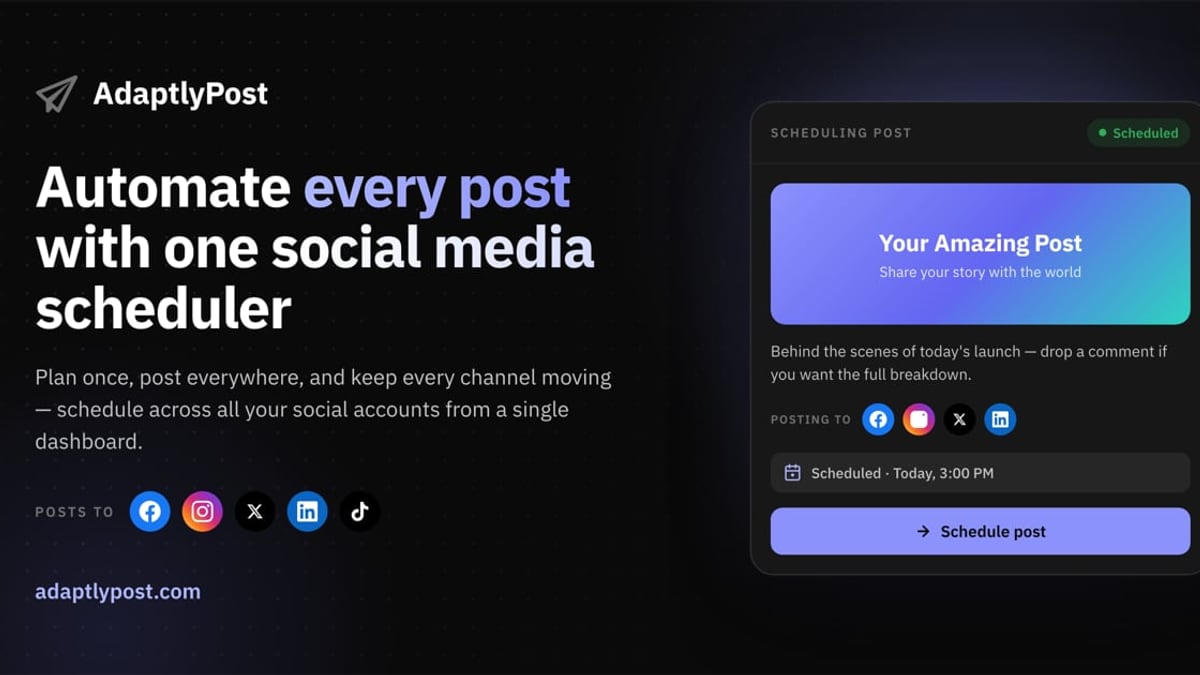
AdaptlyPost Review 2026: An Honest Look at Features, Pricing & AI product interface and feature overview.
AdaptlyPost is an all-in-one social media scheduler built to automate posting across Instagram, TikTok, YouTube, X (Twitter), Facebook, LinkedIn, Pinterest, Threads, and even Bluesky. It’s designed for marketers, solo creators, and small teams who want to maintain a consistent online presence without logging into a dozen apps every day. Beyond simple scheduling, AdaptlyPost leans heavily on AI to generate captions, create images, and even let AI agents manage your entire posting workflow via API.
The platform’s core promise is straightforward: plan once, post everywhere, keep every channel moving. You get a visual content calendar, AI-generated copy and visuals, and team collaboration features—all while paying a transparent monthly fee with no hidden per-channel upcharges.
Key Features That Make AdaptlyPost Stand Out

AdaptlyPost Review 2026: An Honest Look at Features, Pricing & AI product interface and feature overview.
AI-Powered Content Creation
Two AI assistants do most of the heavy lifting:
- AI Caption Generator: Write a single idea, and AdaptlyPost rewrites it for each platform’s tone and length. It can suggest trending hashtags and adjust the voice to fit LinkedIn’s professionalism or TikTok’s casual vibe.
- AI Image Studio: Describe what you need—a flat lay, a product shot with a blue background—and the generator creates scroll-stopping images in seconds. This is particularly useful for users who don’t have a designer or stock photo budget.
Both features consume monthly credits, which scale with your plan. You won’t hit a paywall that blocks essential posting, but heavy content generation may push you toward a higher tier.
Multi-Platform Posting and Content Calendar
One of the biggest time-savers is simultaneous posting. Draft a single update, and AdaptlyPost auto-adapts format, aspect ratio, and character limits for each platform. The calendar view shows each channel’s scheduled posts side by side, so you can spot content gaps or overlaps at a glance. You can also bulk-schedule a week’s worth of updates in one sitting.
API and AI Agent Integration
AdaptlyPost stands out with its OpenClaw AI agent integration. Developers and tech-savvy teams can connect their own AI agents to the API, allowing the agent to write, schedule, and publish posts autonomously. A startup founder quoted on the site says their agent now automatically pushes product updates across all channels. This isn’t a feature you’ll find in most mainstream schedulers, making AdaptlyPost a compelling bridge between marketing teams and engineering.
Workspaces and Team Collaboration
You can separate clients, brands, or projects into distinct workspaces. Each workspace has its own connected accounts and team members, with permission controls. The approval workflow option—ideal for regulated industries or agency-client relationships—keeps drafts audit-ready before they go live.
AdaptlyPost Pricing: Which Plan Fits You?

AdaptlyPost Review 2026: An Honest Look at Features, Pricing & AI product interface and feature overview.
AdaptlyPost offers three straightforward plans, all with a 7-day free trial. Pricing is transparent and visible on the official pricing page:
- Creator ($19/month): 30 connected social accounts, unlimited scheduled posts, 1 team member, 3 workspaces, 150 AI credits/month. Ideal for solo creators and solopreneurs.
- Pro ($39/month): 60 connected accounts, 5 team members, 15 workspaces, 400 AI credits/month. Designed for growing teams and professionals who need more collaboration and AI throughput.
- Enterprise ($89/month): 100 connected accounts, 20 team members, 50 workspaces, 1,000 AI credits/month. Built for agencies and large teams scaling content across many brands.
All plans include image, video, and carousel posts, plus API access. The fact that even the Creator plan allows 30 accounts makes it surprisingly generous compared to legacy tools that often charge per profile. However, the AI credit system means you’ll need to monitor usage if you rely heavily on generated images.
Ideal Users and Use Cases
Solo Creators and Solopreneurs. The Creator plan fits anyone managing a personal brand plus a side project. Testimonials from software engineers and content creators mention batching a week’s posts in under 20 minutes and seeing a noticeable engagement lift just from being consistent.
Small Marketing Teams. Workspaces and multi-user access let a social media manager collaborate with a designer or copywriter without stepping on each other’s drafts.
Tech-Savvy Teams and Developers. The API integration is a unique draw. If your company already uses AI agents or has a development team automating workflows, AdaptlyPost can become a hands-free publishing layer.
Regulated Industries. Approval workflows keep content compliant—drafts stay locked until a designated approver clears them, creating an audit trail.
Strengths of AdaptlyPost

AdaptlyPost Review 2026: An Honest Look at Features, Pricing & AI product interface and feature overview.
- Generous account limits: 30 connected accounts on the entry-level plan is rare. Most alternatives restrict you to 5 or 10 before jumping to a “team” price.
- AI that fits your flow: Caption rewriting and image generation are built in, not bolted on as a premium add-on.
- Agentic publishing: The API and OpenClaw integration let you treat social posting as code—automated, reliable, and customizable.
- Clean, visual calendar: The dashboard avoids clutter, making it easy to see what’s scheduled across platforms.
- No platform lock-in: Supports niche networks like Bluesky and Threads alongside the usual giants.
Limitations to Consider
- Credit-based AI: While reasonable, heavy users of AI images may chew through credits faster than expected. You can’t currently buy standalone credit top-ups without upgrading plans.
- Analytics are light: AdaptlyPost focuses on publishing and content creation, not in-depth reporting. If you need competitor benchmarking or advanced analytics, you’ll likely need a complementary tool or one of the platforms listed in our top 10 social media management platforms for 2026.
- No free tier: The 7-day trial is enough to test the waters, but hobbyists looking for a permanent free plan won’t find one here.
- Younger ecosystem: Being newer means fewer third-party integrations and a smaller community compared to the likes of Buffer or Sprout Social.
AdaptlyPost vs. Alternatives: Where Does It Fit?
AdaptlyPost vs. Buffer
Buffer remains the go-to for simplicity, but it charges per channel and its AI features are more basic. AdaptlyPost’s per-account generosity and built-in AI image studio give it an edge for creators who don’t want to juggle multiple tools. For a deeper look at Buffer, read our Buffer Review 2026.
AdaptlyPost vs. SocialEcho
SocialEcho is built for global teams, offering advanced cross-border capabilities, TikTok Shop integration, and AI-driven inbox features. AdaptlyPost, on the other hand, excels at autonomous posting via API agents and flat-rate unlimited scheduling. When comparing the two directly, the choice often comes down to whether you need deep social listening and commerce (SocialEcho) or agentic automation and multi-account simplicity (AdaptlyPost). See our detailed breakdown in SocialEcho vs AdaptlyPost vs Sprinklr.
Getting Started: Setup and Onboarding
Signing up is frictionless—no credit card required for the 7-day trial. Once inside, you connect your social accounts through the platform’s guided OAuth flow, which takes a few minutes for each network. The calendar view populates in real time, and the AI tools are available immediately. Because AdaptlyPost doesn’t overwhelm you with features on the first screen, the learning curve is gentle. Documentation and support are accessible, though live chat is still maturing.
Decision Criteria: Is AdaptlyPost Right for You?
Pick AdaptlyPost if:
- You manage multiple accounts and want to avoid per-profile pricing.
- You value AI-generated captions and images as part of your workflow.
- You have (or plan to build) automated posting workflows using its API.
- You need approval workflows for compliance or client content.
Look elsewhere if:
- Deep analytics and social listening are your top priority.
- You’re a hobbyist who needs a free forever plan.
- You rely heavily on native third-party integrations beyond Zapier.
Related reading
- SocialEcho vs Agorapulse: Pricing, AI & Inbox Showdown (2026) - We compare SocialEcho and Agorapulse on per-account pricing, AI-driven inbox, full content generation, TikTok Shop, and more. Which tool wins in 2026?
Sources and further reading
- AdaptlyPost Reviews and Pricing 2026 - AdaptlyPost Reviews and Pricing 2026F6Shttps://www.f6s.com › Products › Social NetworkingF6Shttps://www.f6s.com › Products › Social NetworkingAdaptlyPost is an all-in-one social media scheduler that lets users plan, schedule, and publish posts across platforms (Instagram, TikTok, YouTube, X, Faceboo
- Read Customer Service Reviews of aidelly.com - Read Customer Service Reviews of aidelly.comTrustpilothttps://www.trustpilot.com › ... › Software CompanyTrustpilothttps://www.trustpilot.com › ... › Software CompanyMay 19, 2026 — Do you agree with Aidelly's 4-star rating? Check out what 3 people have written so far, and share your own experience.4
Frequently Asked Questions
Is there a free version of AdaptlyPost? No, but all plans start with a 7-day free trial that does not require a credit card.
How does the AI credit system work? Each plan includes a monthly credit allocation. Generating captions and images deducts credits (1 credit per caption rewrite, varying credits for images). Unused credits don’t roll over.
Can I schedule the same post to multiple platforms at once? Yes. AdaptlyPost auto-adapts the format, caption length, and image dimensions so you don’t have to create a separate post for each network.
Does AdaptlyPost support video scheduling for TikTok and YouTube? Yes—image, video, and carousel posts are supported across all connected platforms.
Is the API suitable for non-developers? It’s technical; however, the integrated OpenClaw skill means you can use natural language to control the API through compatible AI agents, lowering the barrier slightly.
Final Verdict
AdaptlyPost isn’t trying to be everything to everyone. It zeroes in on what busy creators and small teams actually need: fast, consistent publishing with enough AI assistance to make you dangerous. The per-account pricing is refreshing, and the API capabilities put it a step ahead for anyone experimenting with AI-driven workflows. It won’t replace a full social listening suite, but as a scheduling engine that actually reduces the time you spend staring at dashboards, it delivers.
If you’re tired of per-channel surcharges and want a scheduler that treats automation as a first-class feature, AdaptlyPost is well worth the trial. And if you’re still undecided, tools like Buffer or SocialEcho—covered in our top 10 social media management platforms of 2026—serve as excellent comparison points. But for many, AdaptlyPost will be the one that finally makes posting feel less like a chore and more like a system that runs itself.