
Pallyy Review 2026: A Practical Look at the Visual Social Media Scheduler
Social media managers and agency owners are often caught between bloated, expensive suites and lightweight tools that can’t keep up with client work. Pallyy steps into that gap with a focused, visual-first approach. This review digs into what Pallyy actually delivers — from its scheduling engine and inbox to analytics and team workflows — so you can decide if it fits your daily operations. We’ll cover the free tier, paid plans, where it shines, and where it might fall short, based on hands-on testing and the latest platform details.
What Is Pallyy?
Pallyy Review 2026: Features, Pricing & Honest Verdict product interface and feature overview.
Pallyy is a social media scheduling and management platform built with agencies and growing teams in mind. It emphasizes a clean visual calendar, client approval workflows, and an integrated social inbox that covers multiple channels. Instead of trying to do everything, Pallyy concentrates on planning, publishing, and measuring content across Instagram, Facebook, LinkedIn, Twitter/X, TikTok, Pinterest, YouTube, and Google Business Profile. A built-in link-in-bio page builder and AI-assisted caption generation round out the core toolkit. Pricing starts with a free plan and scales up through per-social-set add-ons, making it particularly appealing for those who want to avoid per-user steep fees.
Key Features of Pallyy
Pallyy Review 2026: Features, Pricing & Honest Verdict product interface and feature overview.
Visual Content Calendar & Scheduling
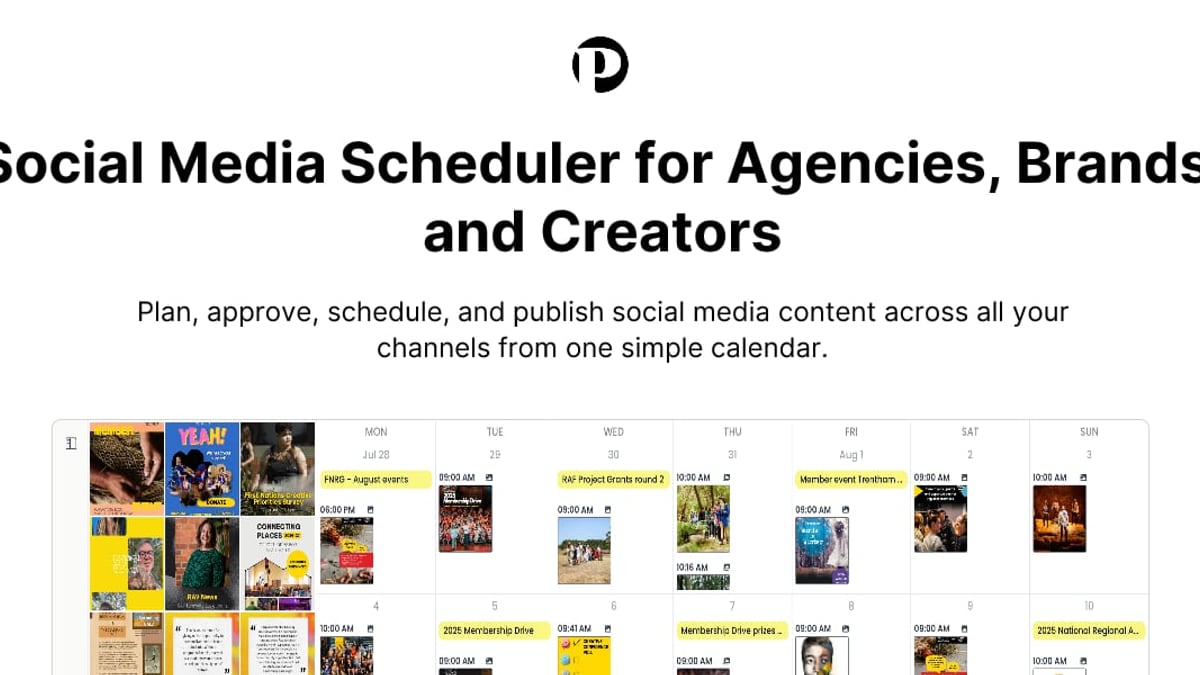
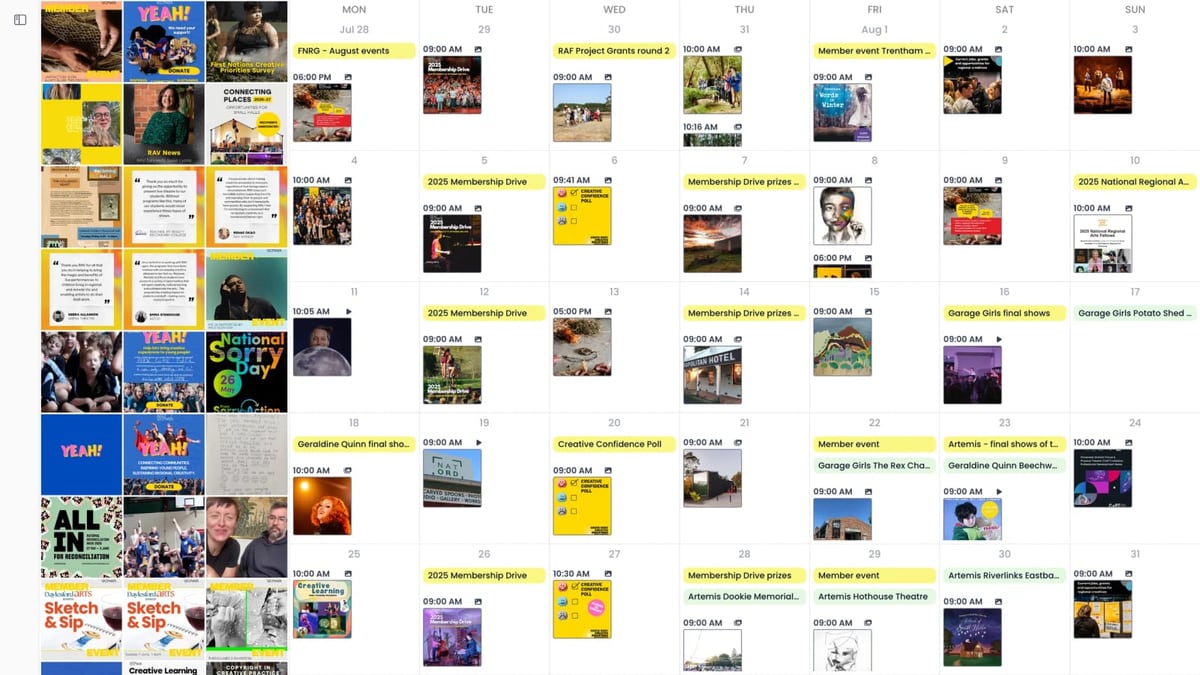
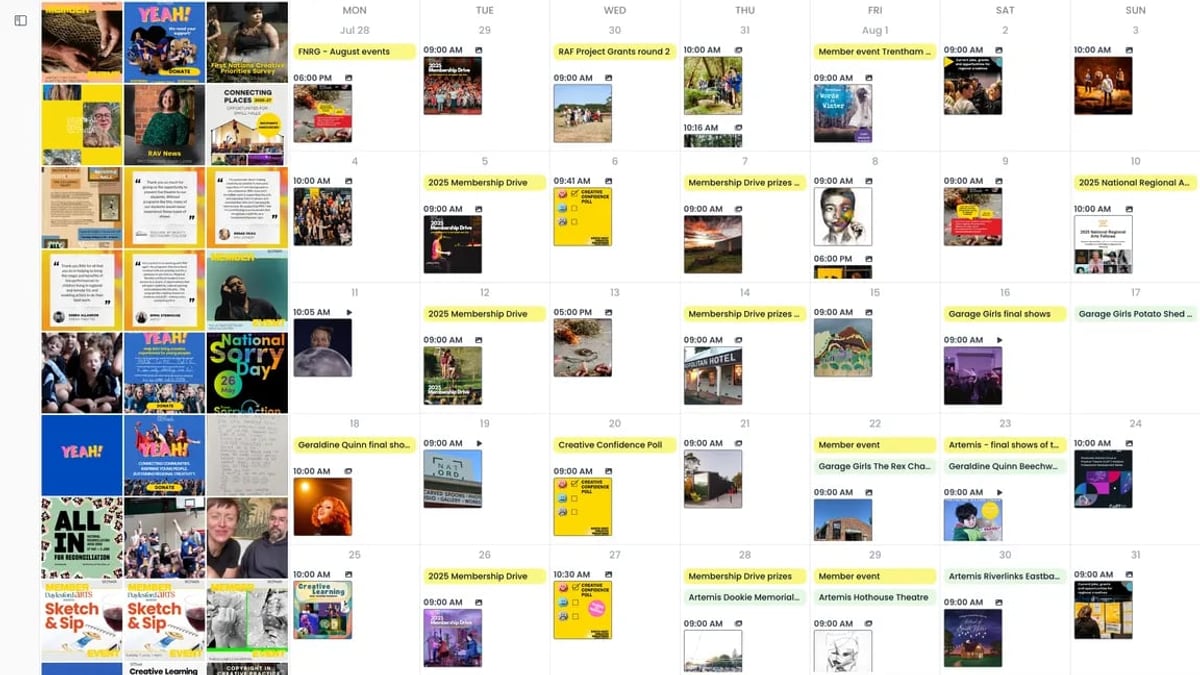
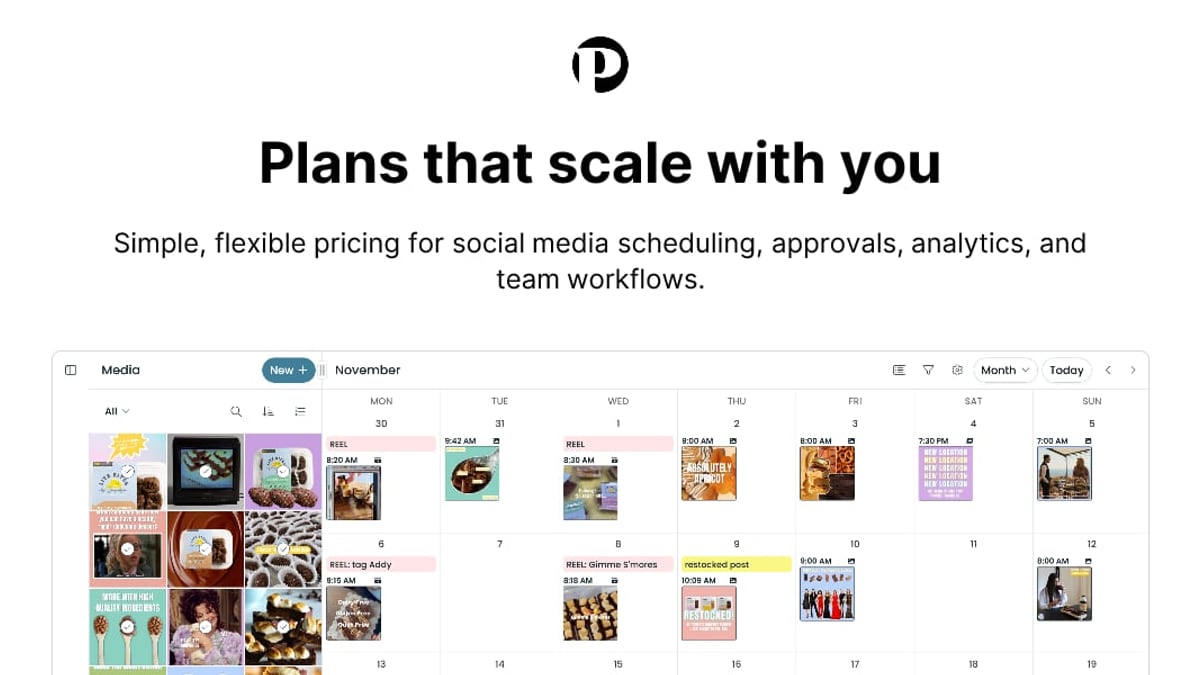
Pallyy’s calendar is the heart of the product. You can drag-and-drop posts, view content by month or week, and color-code social sets for instant recognition. Each post preview shows how it will appear on the target platform, including carousels, reels, and image grid placements for Instagram. Queue scheduling, saved posting times, and recurring notes help you maintain consistency without starting from scratch every week. You can also import a Google Calendar feed to overlay your content schedule with other marketing activities.
Social Inbox & Engagement Management
One standout is the unified inbox that pulls in comments, DMs, and mentions from Instagram, Facebook, LinkedIn, TikTok, and Google Business Profile. Filters, labels, and assignment features let you triage conversations quickly. You can resolve, archive, or bulk-update messages, turning what often becomes a scattered, multi-tab workflow into a single stream. For client-facing teams, the ability to assign specific threads to a team member and mark them as resolved keeps accountability clear.
Analytics & Reporting
The analytics dashboard tracks standard metrics on Instagram, Facebook, and LinkedIn. What makes Pallyy different for agencies is the client-ready report builder. You can drag metrics into a custom report, add your branding, and export it as a PDF or share a live link. Instagram competitor tracking (up to 10 competitors on Pro and above) gives context beyond your own numbers. Analytics retention stretches to 5 years on paid plans, so long-term trend analysis is built-in.
Link in Bio & Additional Tools
Pallyy’s bio link page builder isn’t an afterthought. You can create multiple pages, add image grids, style buttons, and even use a custom domain. For agencies managing several clients, the ability to clone these pages across social sets saves significant time. Other extras include an Unsplash integration for stock images, a media library with folders (with storage limits that grow with each tier), and AI-generated captions and post ideas that help break through creative blocks.
AI-Assisted Captions & Post Ideas
While not a full AI content suite, Pallyy offers on-the-spot AI caption generation and automatic post suggestions. You type a topic or a few words, and it produces caption options you can edit and publish. This is handy for batch content creation when you need to fill gaps in the calendar quickly.
Pallyy Pricing and Plans
Pallyy Review 2026: Features, Pricing & Honest Verdict product interface and feature overview.
Pallyy’s pricing model revolves around social sets — a group of social accounts (one per platform) bundled together. This keeps costs predictable, unlike platforms that charge per account. Below is a summary of the main plans (monthly billing, with annual savings available).
- Free: 1 social set, 15 scheduled posts/month, calendar, basic analytics, 30-day data retention.
- Starter ($15/month): 1 social set, 20 posts/month, content calendar, analytics, link-in-bio pages.
- Pro ($25/month): 1 social set, unlimited posts, social inbox, queue scheduling, AI captions, approvals, competitor tracking, 5-year analytics.
- Agency (from $120/month): 10 social sets, team collaboration, custom reports, shared calendars, more storage.
- Scale (custom pricing): 30+ social sets, dedicated support, tailored usage limits.
Extra social sets can be added for $10/month each, and additional team users for $10/month. The free plan lets you test core scheduling with zero credit card requirement, making it easy to validate before committing.
Pallyy Pros and Cons
Pallyy Review 2026: Features, Pricing & Honest Verdict product interface and feature overview.
What we like:
- Clean, visual calendar that is easy to read and plan with.
- Unified social inbox across multiple networks reduces tab-switching.
- Client approval workflows and shared calendars built for agency-client handoffs.
- Competitive per-social-set pricing with unlimited posts on Pro.
- Link-in-bio pages are genuinely useful, not just a checkbox feature.
- Solid analytics with custom report exports and competitor insights.
Where it falls short:
- No TikTok or YouTube publishing via direct API; some posting is via mobile reminders.
- Lacks a full AI content generation suite (no long-form rewriting or image generation).
- Media storage limits can feel tight on lower tiers (200MB on Free, 2GB on Starter).
- Limited number of social sets on entry-level paid plans (only 1 social set on Starter/Pro).
- Team user add-ons increase monthly cost for larger collaborative teams.
Who Should Use Pallyy?
Pallyy is ideal for:
- Freelance social media managers handling a handful of client accounts and wanting a clear, client-friendly dashboard.
- Boutique marketing agencies that manage visual-first brands and need approval workflows without enterprise overhead.
- Small to mid-sized businesses with 1-3 social sets who want unlimited scheduling and an integrated inbox on a budget.
- Multi-location brands (e.g., restaurants, salons) that can benefit from the Scale plan’s social set architecture.
It is less suited for large enterprises that require advanced listening, complex automation, or deep multi-platform publishing (like TikTok direct posting) and already have a martech stack that needs deep integrations.
Pallyy vs. Alternatives: How Does It Compare?
Compared to Buffer, Pallyy offers a richer visual calendar and built-in inbox at a similar price point, but Buffer’s simplicity and mobile apps might appeal to solo creators. For a deeper look at Buffer, see our in-depth Buffer review.
Later focuses heavily on Instagram visual planning, while Pallyy provides a more balanced multi-platform calendar with client collaboration features. Planable and SocialBee are other strong contenders for team approvals; we cover them in our top 10 social media management platforms comparison.
If your priority is the lowest possible cost with a solid approval workflow, Pallyy’s Pro plan at $25/month for unlimited posts and inbox is quite compelling. For those needing AI-first content generation and scalable per-account pricing, you might look at tools like SocialEcho — but that’s a different conversation best suited for our dedicated comparisons on SocialEcho.
Setting Up Pallyy: A Quick Walkthrough
- Create an account – start with the free plan, no credit card required. You’ll land in the calendar view.
- Connect a social set – link one profile per platform you want to manage (Instagram, Facebook, etc.).
- Schedule a post – drag a time slot, add media, tweak the caption (try the AI generator), set hashtags, and preview. Pallyy will show exactly how it appears.
- Invite a team member or client – go to settings, add a user, and assign permissions. Approvals can be set per social set.
- Explore the inbox – connect your Facebook/Instagram accounts to see comments and messages in one place.
- Build a bio link page – from the Bio Link section, craft a landing page for your Instagram profile.
A useful video walkthrough by Alexandra Ceambur breaks down the scheduling workflow and shares practical tips for switching from pricier tools like Hootsuite or Later. You can watch the full Pallyy tutorial here.
Related reading
- SocialEcho vs Sendible vs Buffer: Which One Wins in 2026? - Compare SocialEcho, Sendible, and Buffer on pricing, features, and ideal use cases. Honest analysis to help agencies, creators, and global teams choose.
- SocialEcho vs Emplifi (2026): AI Social Suite vs Enterprise Pricing - Compare SocialEcho and Emplifi on pricing, AI generation, TikTok Shop, onboarding, and scalability. See why SocialEcho's $3/account model beats Emplifi's quote-only approach in 2026.
- Ocoya Review: Features, Pricing & Honest Verdict (2026) - Discover if Ocoya is the right AI social media tool in 2026. We cover features, pricing, real user feedback, and alternatives. Honest pros and cons.
Sources and further reading
- Pallyy Pricing: Plans That Scale With You - Choose a flexible Pallyy plan for your social media workflow, with simple pricing for creators, brands, agencies, and growing teams.
- Top Alternatives to Pallyy in July 2026 | Spotsaas - Check 10 alternatives to Pallyy. Compare features, pricing, and user reviews to find the best fit for your business needs.
Frequently Asked Questions
Is there a Pallyy free plan?
Yes. The free plan includes 1 social set, 15 scheduled posts per month, and basic analytics. No credit card is needed to sign up.
What social platforms does Pallyy support?
Instagram, Facebook, LinkedIn, Twitter/X, TikTok (reminder-based publishing), Pinterest, YouTube, and Google Business Profile.
Can I manage multiple clients with one Pallyy account?
Yes, using social sets. The Agency and Scale plans are designed for multiple clients, with separate calendars, approvals, and shared access.
Does Pallyy offer direct TikTok scheduling?
Pallyy provides mobile reminders for TikTok; you currently cannot publish directly via the TikTok API through Pallyy.
How does Pallyy compare to Buffer?
Pallyy includes a built-in social inbox, client approvals, and a link-in-bio builder at its Pro tier, while Buffer focuses more on straightforward scheduling with a simpler interface. Your choice depends on whether you need an inbox and team collaboration.
Final Verdict
Pallyy is a well-designed social media scheduler that strikes a rare balance: it’s affordable enough for freelancers yet capable enough for boutique agencies. The visual calendar and unified inbox stand out in a crowded market, and the per-social-set pricing avoids the trap of per-account penalties. If you regularly juggle multiple client profiles and value a clean, approval-friendly interface, Pallyy deserves a serious trial run. For those needing deeper AI content creation or fully native TikTok publishing, you may want to supplement with other tools or explore alternatives. But for the vast mid-range of social media professionals, Pallyy remains a strong, pragmatic choice in 2026.