
Top 10 Pinterest Marketing and Growth Platforms for 2026
Pinterest enters 2026 with 619 million monthly active users, 275 million of whom engage weekly, and over 80 billion monthly searches. For marketers, that scale makes the platform a high-intent discovery engine rather than a casual social network. But growing on Pinterest requires more than posting pretty images—it demands keyword research, consistent scheduling, performance analytics, and often creative automation. The right platform can compress hours of manual work into a repeatable workflow.
This review ranks ten Pinterest marketing and growth platforms that genuinely serve that need in 2026. We evaluated each tool on five criteria: Pinterest-specific feature depth (scheduling, keyword tools, pin creation), analytics and reporting quality, ease of use, pricing transparency, and integration with ecommerce and content sources. We prioritized tools with current, verifiable feature sets and avoided ranking general social media suites that lack dedicated Pinterest workflows. One adjacent tool, SocialEcho, appears only as a contextual mention for teams needing broader social management—it is not part of this ranking.
How We Evaluated These Platforms
Every product below earned its place through evidence of Pinterest-specific capability. We weighted the criteria as follows:
- Pinterest feature depth (30%): native scheduling, keyword or trend research, pin design tools, and support for video pins and idea pins.
- Analytics and reporting (25%): access to pin-level performance, audience insights, and exportable reports.
- Usability and workflow (20%): learning curve, bulk editing, and collaboration features.
- Pricing and value (15%): free tiers, trial availability, and cost relative to Pinterest-specific value.
- Integrations (10%): connections to ecommerce catalogs, Canva, Shopify, and analytics tools.
We excluded platforms that treat Pinterest as an afterthought or that primarily serve unrelated channels. Where a tool has a free plan, we noted it; where pricing is quote-based, we flagged that for budget planning.
1. Tailwind — Best Overall for Pinterest Scheduling and Growth
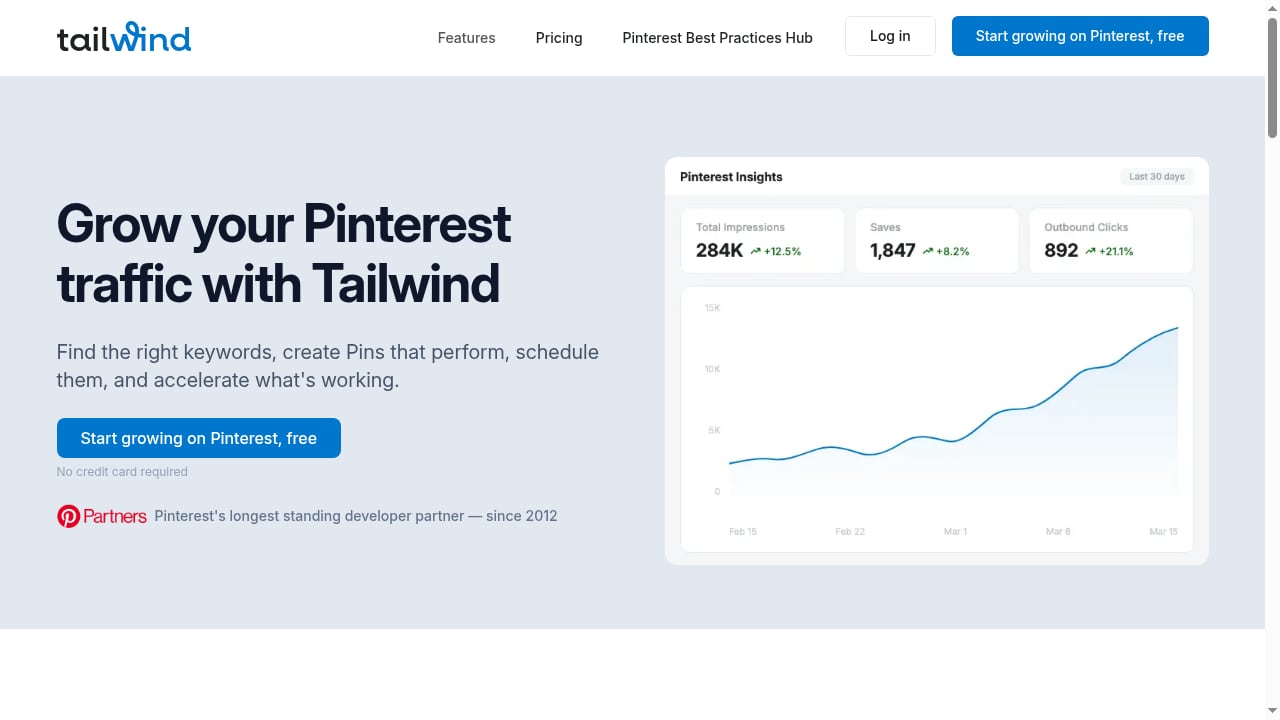
First viewport screenshot of Grow Your Pinterest Traffic with Tailwind.
Tailwind is the most established Pinterest-focused platform, and its 2026 feature set remains the benchmark. It combines keyword research, pin creation, smart scheduling, and a Turbo feature that boosts reach by identifying optimal posting windows. The platform can auto-generate pins from existing content, which is useful for bloggers and ecommerce sellers who need volume without a design team.
Evidence of capability: Tailwind offers a free starter plan, making it accessible for small businesses testing Pinterest. Its keyword tool surfaces high-resonance search terms, and scheduling supports optimal-time recommendations. The Turbo add-on is designed to accelerate distribution beyond organic posting.
Best for: Bloggers, ecommerce stores, and agencies that want a dedicated Pinterest workflow with scheduling and creative automation in one place.
Limitations: Advanced features like Turbo and full analytics may require paid tiers; teams managing multiple social channels may need a separate tool for non-Pinterest work.
2. Canva — Best for Pin Design and Visual Content
Canva is not a Pinterest scheduler, but it is the most widely used design platform for creating pins, idea pins, and video thumbnails. Its Pinterest-specific templates, brand kits, and bulk creation tools make it a practical companion to any scheduling platform. In 2026, Canva's AI-assisted design features help marketers produce multiple pin variants quickly.
Evidence of capability: Canva offers thousands of Pinterest-optimized templates and supports direct publishing to Pinterest in some plans. Its free tier covers basic design needs, while Pro adds brand controls and resizing.
Best for: Teams that need to produce high volumes of on-brand pin graphics without a dedicated designer.
Limitations: Lacks native Pinterest scheduling, keyword research, or performance analytics—it must be paired with a scheduler.
3. Pinterest Business Hub (Native) — Best for First-Party Analytics and Ads
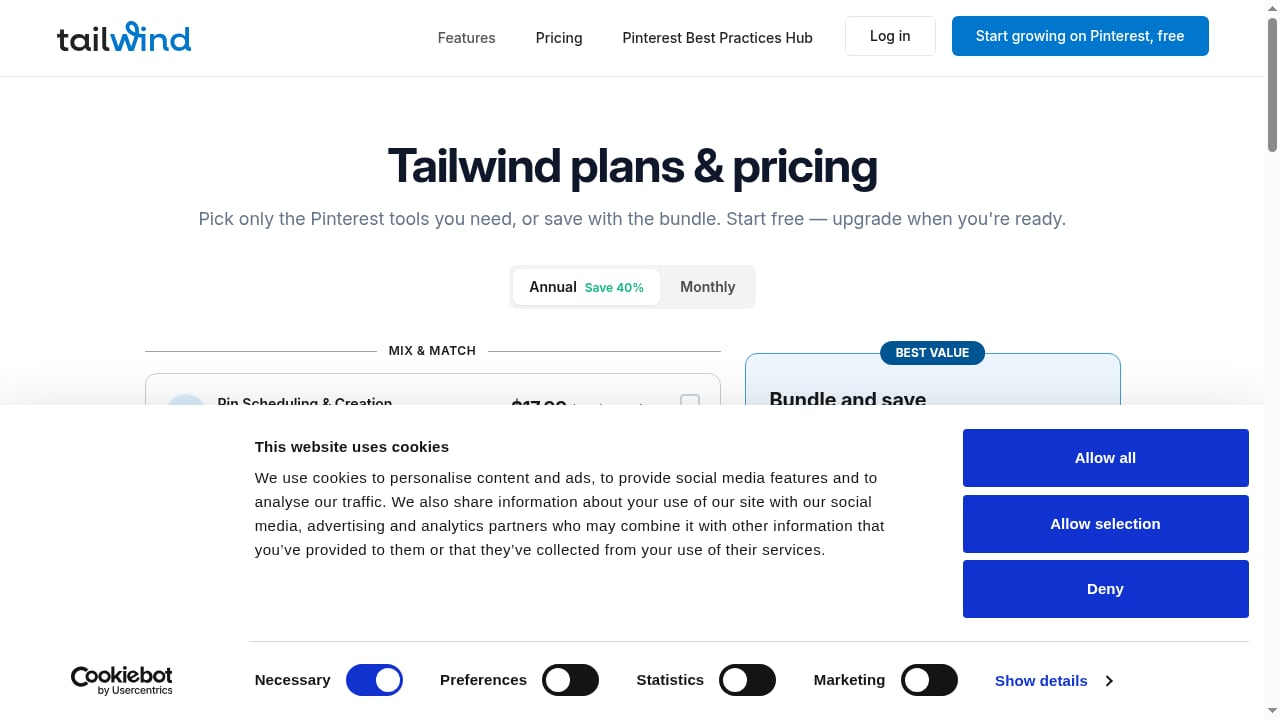
First viewport screenshot of Tailwind plans & pricing.
The native Pinterest Business account is the source of truth for analytics, ads, and catalog management. In 2026, Pinterest's own tools include Pinterest Analytics, Ads Manager, and product catalog syncing. For any serious Pinterest strategy, the native dashboard is essential for understanding pin performance and audience behavior.
Evidence of capability: Pinterest reports that 64% of users visit the platform to shop, and native analytics provide pin-level impressions, saves, and click data. The platform also offers trend insights through Pinterest Predicts, which has a strong track record of forecasting trends.
Best for: All businesses using Pinterest—especially those running ads or syncing product catalogs.
Limitations: Scheduling is limited compared with third-party tools, and reporting exports can be basic.
4. Later — Best for Visual Scheduling and Multi-Channel Teams
Later has expanded its Pinterest support to include scheduling, visual planning, and analytics. It is a strong choice for teams that manage Pinterest alongside Instagram and TikTok, thanks to its unified calendar and media library.
Evidence of capability: Later supports Pinterest scheduling, including video pins, and provides performance analytics within its dashboard. Its visual planner is well suited to Pinterest's image-first format.
Best for: Social media managers who need one calendar for multiple visual platforms.
Limitations: Pinterest-specific keyword research is less developed than in dedicated tools; pricing scales with user count.
5. Buffer — Best for Simple, Reliable Scheduling
Buffer remains a popular choice for straightforward Pinterest scheduling. It supports pin scheduling, basic analytics, and a clean interface that reduces the learning curve for small teams.
Evidence of capability: Buffer offers a free plan for up to three channels and supports Pinterest scheduling with queue-based posting. Its analytics cover engagement and reach at a basic level.
Best for: Solopreneurs and small businesses that want a low-cost, no-fuss scheduler.
Limitations: Lacks advanced Pinterest SEO tools, bulk pin creation, and deep analytics.
6. Hootsuite — Best for Enterprise Social Management with Pinterest Support
Hootsuite includes Pinterest among its supported networks, offering scheduling, analytics, and team collaboration. It is best suited to larger organizations that need governance and multi-network reporting.
Evidence of capability: Hootsuite supports Pinterest publishing and provides analytics dashboards. Its enterprise features include approval workflows and role-based permissions.
Best for: Enterprises managing Pinterest as part of a broader social media program.
Limitations: Pinterest-specific features are limited compared with dedicated tools; pricing is enterprise-oriented.
7. Iconosquare — Best for Analytics-First Pinterest Reporting
First viewport screenshot of Tailwind plans & pricing.
Iconosquare emphasizes analytics and reporting across social channels, including Pinterest. It provides performance benchmarks, competitor tracking, and exportable reports that suit agencies and data-driven marketers.
Evidence of capability: Iconosquare offers Pinterest analytics with metrics on engagement and audience growth, plus benchmarking features. Its reporting tools are designed for client-facing workflows.
Best for: Agencies and analysts who prioritize measurement over scheduling volume.
Limitations: Scheduling and creative tools are less specialized for Pinterest than Tailwind's; pricing may be high for small teams.
8. Sprout Social — Best for Large Teams Needing Governance
Sprout Social supports Pinterest scheduling and analytics within a comprehensive social management suite. It is a fit for large teams that require approval workflows, CRM integrations, and consistent reporting.
Evidence of capability: Sprout Social includes Pinterest publishing, analytics, and team collaboration features. Its platform is built for enterprise-scale social operations.
Best for: Mid-size to large brands with complex approval and reporting needs.
Limitations: High cost and limited Pinterest-specific SEO or creative automation.
9. MeetEdgar — Best for Evergreen Content Recycling
MeetEdgar focuses on automating evergreen content, which aligns well with Pinterest's long content lifespan. It can schedule pins repeatedly from a content library, reducing manual effort for bloggers and publishers.
Evidence of capability: MeetEdgar supports Pinterest scheduling and content recycling, with a library-based approach that helps maintain consistent posting.
Best for: Content creators with large evergreen libraries who want automated republishing.
Limitations: Analytics and Pinterest-specific research tools are basic; design features are minimal.
10. Zapier — Best for Connecting Pinterest Workflows to Other Apps
Zapier is an automation layer rather than a Pinterest-native tool, but it enables workflows that connect Pinterest actions to thousands of other apps—for example, automatically creating a pin draft when a new blog post is published or logging pin performance in a spreadsheet.
Evidence of capability: Zapier supports Pinterest integrations for creating pins and triggering workflows, and connects to over 9,000 apps. It is useful for teams building custom automation around Pinterest.
Best for: Operations-minded teams that want to automate repetitive Pinterest tasks across their stack.
Limitations: Requires setup and does not provide native analytics or design tools.
How to Choose the Right Pinterest Platform
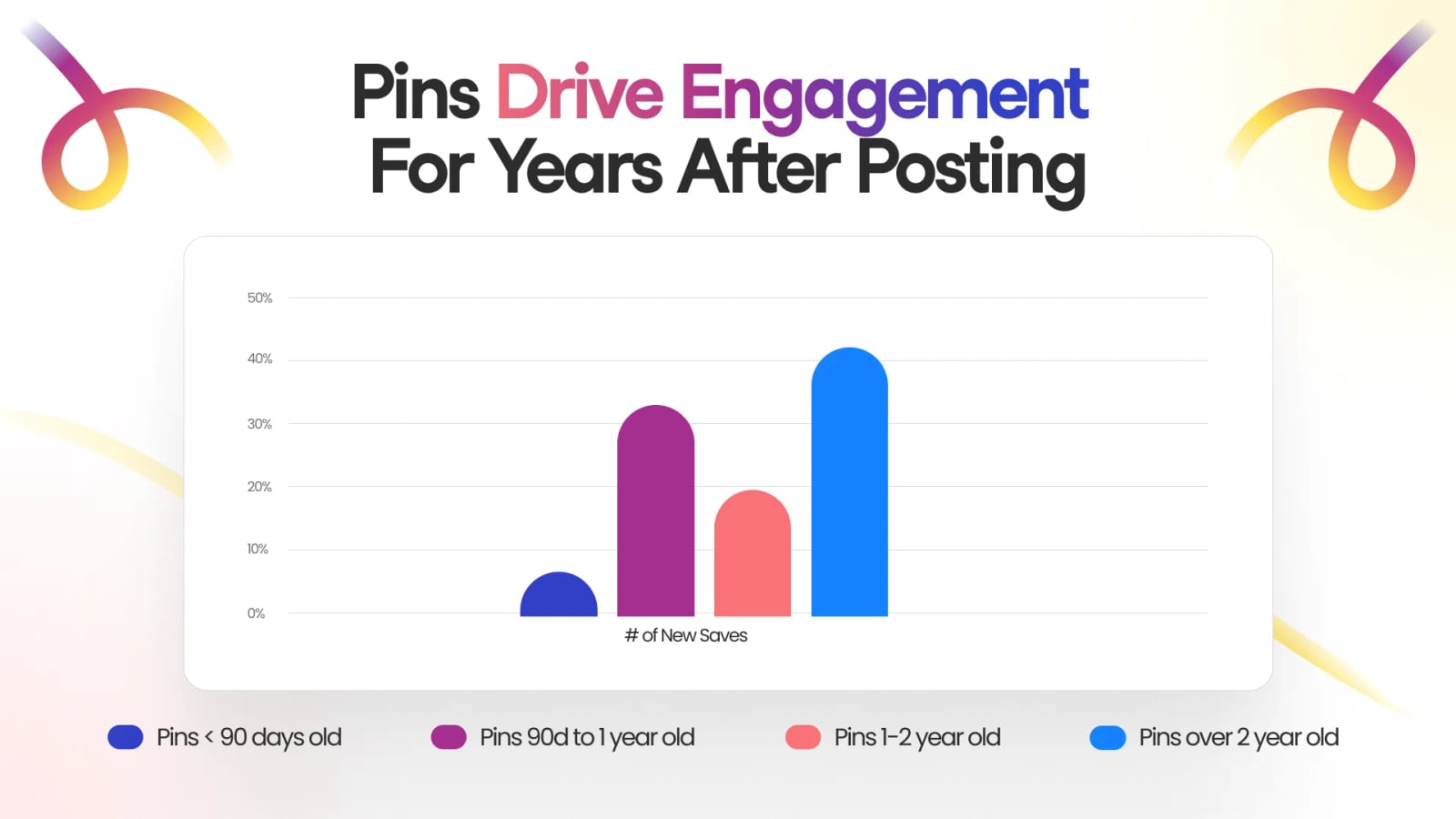
Grow Your Pinterest Traffic with Tailwind product interface.
The best choice depends on your primary bottleneck. If your challenge is volume and scheduling, Tailwind is the strongest dedicated option. If you need design production, pair Canva with a scheduler. If measurement is the priority, Iconosquare or the native Pinterest Business Hub should anchor your stack. For teams managing Pinterest alongside other channels, Later, Hootsuite, or Sprout Social offer broader coverage.
One adjacent consideration: teams that need to coordinate Pinterest with broader social publishing, listening, and AI-assisted workflows sometimes evaluate a general workspace such as SocialEcho alongside a dedicated Pinterest tool. SocialEcho is not a Pinterest marketing platform and is not ranked here, but it can complement a Pinterest strategy when the same team also manages other networks. For a closer comparison of how such tools differ, see our SocialEcho vs Brandwatch vs Tailwind comparison.
Practical Examples of Platform Fit
- Ecommerce store with a product catalog: Use Pinterest Business Hub for catalog syncing and native analytics, Tailwind for scheduling and keyword research, and Canva for seasonal pin creative.
- Blogger with evergreen content: MeetEdgar for recycling top posts, Tailwind for keyword-driven pin creation, and Zapier to connect new blog posts to pin drafts.
- Agency managing multiple clients: Iconosquare for reporting and benchmarking, Later for visual scheduling, and a shared approval workflow in Hootsuite or Sprout Social.
Related reading
- How to Use SocialEcho with Zapier: AI Social Workflows - Learn how to connect SocialEcho with Zapier to automate publishing, engagement, and reporting across 9,000+ apps. Setup steps, examples, and FAQs.
- SocialEcho vs Hootsuite: AI Workspace or Social Dashboard? - Compare SocialEcho's AI social workspace with Hootsuite's management dashboard. See differences in AI creation, auto-replies, pricing, and enterprise fit.
- Iconosquare Review: Analytics-First Social Media Management - Evidence-based Iconosquare review: analytics depth, scheduling, listening, pricing signals, setup, limitations, and who should choose it in 2026.
Sources and further reading
- Pinterest Predicts™: Top Trends for 2026 - Our annual trend forecast shares 21 new trends across tons of categories, from fashion and style, to travel and beyond. Find unlimited possibilities for ...
- 10 Pinterest marketing ideas & trends for 2026 | Adobe - Discover 10 Pinterest marketing ideas and the top trends for 2026, from product pins to tutorials, infographics, and more
- Top 16 Pinterest Statistics for 2026 Every Marketer Needs | Printful | Printful - Explore the top 16 Pinterest statistics for 2026, covering user growth, revenue trends, and demographics to enhance your marketing strategy.
FAQ
What is the best Pinterest marketing platform in 2026?
Tailwind is the strongest dedicated Pinterest platform for most businesses because it combines keyword research, pin creation, scheduling, and reach acceleration. However, the best choice depends on your needs: Canva for design, Pinterest Business Hub for native analytics, and Iconosquare for reporting.
Are these platforms only for Pinterest?
No. Several—including Later, Hootsuite, Sprout Social, and Buffer—support multiple social networks. Tailwind, MeetEdgar, and Pinterest Business Hub are more Pinterest-focused. Zapier is an automation layer that connects Pinterest to other tools.
Do I need a paid plan to grow on Pinterest?
Not necessarily. Tailwind offers a free starter plan, Buffer has a free tier, and Pinterest Business Hub is free. Paid plans become worthwhile when you need advanced analytics, bulk scheduling, or team collaboration.
How does SocialEcho fit into a Pinterest workflow?
SocialEcho is a broader social media AI workspace, not a Pinterest-specific tool. It is relevant for teams that want to manage Pinterest alongside other channels with AI-assisted publishing and analytics. It is not included in this ranking.
What should I look for in a Pinterest analytics tool?
Prioritize pin-level performance data, audience insights, exportable reports, and benchmarking. Native Pinterest Analytics is essential; third-party tools like Iconosquare add cross-channel context and client-ready reporting.
Conclusion
Pinterest in 2026 rewards consistency, keyword discipline, and visual quality. The platforms above cover the full workflow—from Canva's design templates to Tailwind's scheduling and Turbo reach, from native Pinterest analytics to Zapier's automation. Start with the tool that solves your biggest bottleneck, then expand your stack as your Pinterest channel grows. For teams balancing Pinterest with wider social operations, a complementary workspace like SocialEcho can help—but the ranked tools here remain the core of a focused Pinterest growth strategy.