
Cloud Campaign Review 2026: White-Label Social Media for Agencies
Cloud Campaign is a white-label social media management platform built for teams that run social media on behalf of other businesses — marketing agencies, franchise groups, and SaaS companies that want to embed social tools into their own products. This review breaks down what it does well, where it falls short, how its workspace pricing model works, and which teams should shortlist it.
Who Cloud Campaign Is Built For
First viewport screenshot of Product Updates | Cloud Campaign.
Cloud Campaign's positioning is narrower than general-purpose schedulers. It targets three buyer types:
- Marketing agencies managing social media for multiple clients under their own brand.
- Franchises and multi-location businesses that need consistent posting across locations without losing local flexibility.
- SaaS companies that want to offer social media scheduling, publishing, and reporting inside their own platform.
It also markets to verticals with repetitive, compliance-sensitive content needs — dental practices, law firms, healthcare, real estate, insurance, restaurants, home services, and nonprofits. If you manage one brand's social presence, this platform is likely more than you need.
Core Capabilities
White labeling
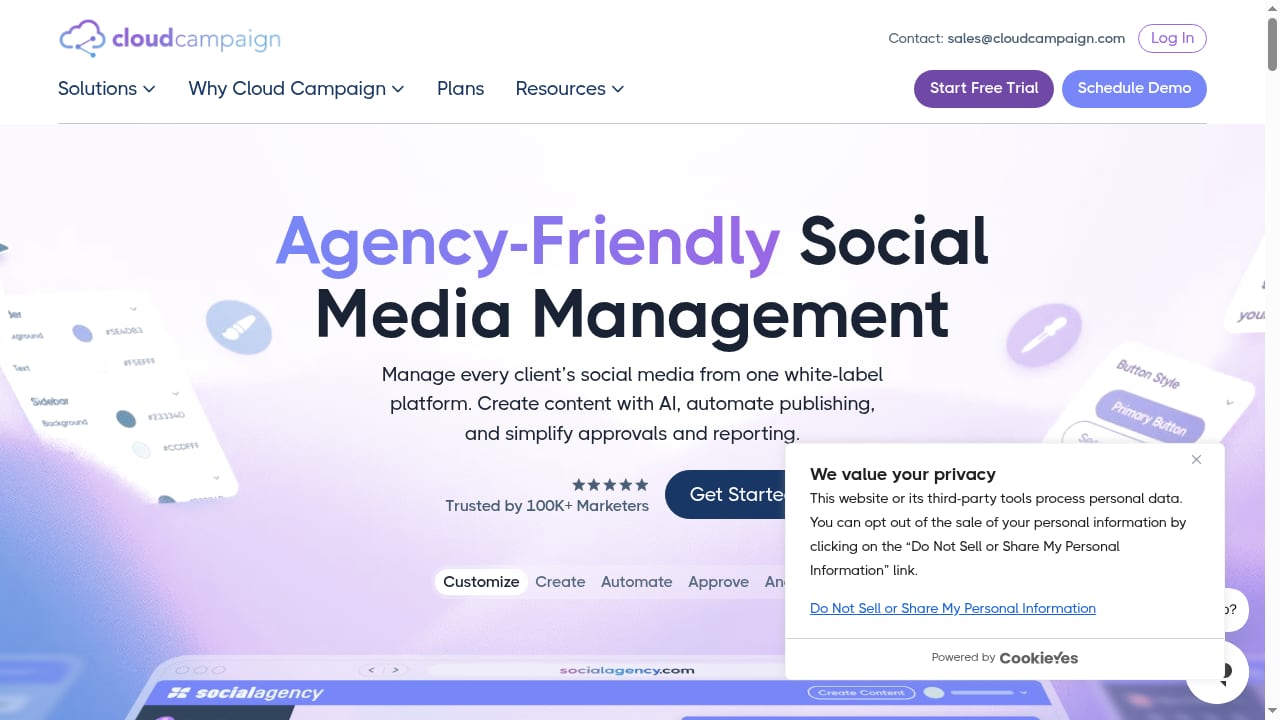
The platform is designed so agencies can present it as their own. Client-facing dashboards, reports, and approval flows can carry agency branding rather than Cloud Campaign's. This matters most for agencies that sell social media as a recurring retainer and want the tool to reinforce their brand, not compete with it.
Scheduling and publishing
Standard multi-channel scheduling is included: build a content calendar, queue posts, and publish across major social networks. The workflow is oriented around batches of client content rather than one-off posts.
AI content creation
Cloud Campaign includes AI caption generation and an AI-assisted social inbox. In practice, this means faster first drafts and faster triage of incoming messages. Treat AI output as a starting point — brand voice and compliance review still sit with the agency.
Approvals
Client approvals are a first-class feature rather than an afterthought. Content can be routed to clients for sign-off before publishing, which reduces the back-and-forth that usually happens over email and spreadsheets.
Reporting and analytics
Reporting is built for client-facing delivery: performance summaries that can be shared under agency branding. Depth varies by plan and channel, so confirm which metrics your clients actually ask for before committing.
CloudStudio
CloudStudio is a done-for-you content service that produces client-ready social content from start to finish. It is best understood as an add-on for agencies that want to scale output without scaling headcount proportionally.
Pricing Signals: The Workspace Model
First viewport screenshot of Do social media tools offer nonprofit pricing? | Cloud Campaign.
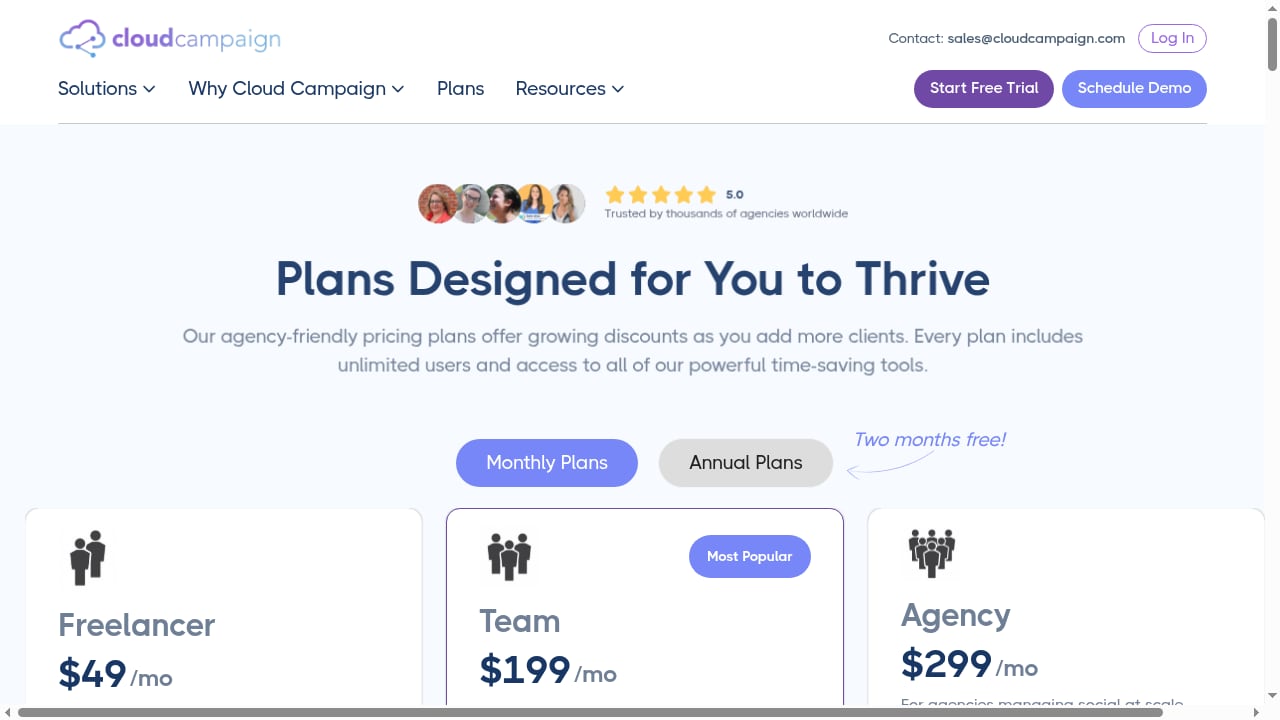
Cloud Campaign's most distinctive commercial choice is workspace-based pricing with unlimited users on every plan. Instead of charging per seat, the platform charges per workspace — typically one workspace per client or brand.
This has real consequences:
- Hiring does not increase your software bill. Adding a junior strategist, a designer, or a contractor does not trigger a new seat fee.
- Client collaboration is easier to justify. You can invite client stakeholders into approval workflows without a per-user cost conversation.
- Costs scale with clients, not with team size. That aligns the bill with revenue rather than with internal growth.
Agencies that have been burned by per-seat tools often cite this as the deciding factor. The trade-off is that workspace pricing can look expensive at very low client counts, where a per-seat plan might cost less. Cloud Campaign publishes a pricing calculator and materials comparing per-seat and workspace models, and offers a free trial plus a sales contact for custom requests. Treat published figures as directional — confirm current rates directly before budgeting.
What Users Consistently Praise
Across public review platforms, the recurring themes are ease of use and customer support. Capterra's Cloud Campaign reviews show a 4.9 average across 162 verified reviews, with ease of use at 4.8 and customer service at 4.9. Reviewers describe time savings on content management, approvals, and posting schedules — the administrative overhead that eats into strategy time at small agencies.
G2's Cloud Campaign reviews echo the same pattern: users highlight how the platform simplifies social media management and client workflows. Trustpilot carries company-written positioning describing the platform as built for agencies and teams managing multiple brands.
Limitations and Real-World Friction
No review is useful without the complaints. Public feedback surfaces three recurring issues:
- Media library quirks. At least one verified reviewer reported that reusing an already-uploaded image sometimes failed, and that moving quickly could result in a post publishing with text only. Build a check step into your publishing routine.
- Inbox reply limitations. A reviewer noted that you cannot always tell who is replying if they do not have an account, and that direct in-platform replies are not always possible. For high-volume community management, verify the inbox behavior against your actual channels.
- Client-facing scale. Because the model is workspace-per-client, agencies with dozens of small clients should model total cost carefully rather than assuming per-client pricing stays cheap.
These are workflow constraints, not dealbreakers — but they should shape your trial checklist.
Setup and Onboarding
Expect setup to be front-loaded. The work happens in three phases:
- Connect channels. Link each client's social accounts and confirm publishing permissions.
- Configure workspaces and branding. Set up one workspace per client, apply white-label branding, and define approval roles.
- Build the first content cycle. Import or create a month of content, run it through client approval, and schedule it.
Agencies migrating from another tool should plan a parallel-run period. The platform's support reputation suggests onboarding help is available, but the migration effort is yours.
How Cloud Campaign Compares
First viewport screenshot of The White-Label Social Media Management Platform | Cloud Campaign.
| Consideration | Cloud Campaign | Typical per-seat tools |
|---|---|---|
| Pricing basis | Per workspace, unlimited users | Per user, per month |
| White labeling | Core feature | Often limited or add-on |
| Client approvals | Built-in | Varies widely |
| Best fit | Agencies, franchises, embedded SaaS | Single brands, small in-house teams |
If you are still mapping the category, see our comparison of the top 10 social media scheduling software products and the top 10 AI-powered social media management platforms. For a closer look at a per-seat alternative with strong collaboration features, our Loomly review covers where that model wins and loses.
Decision Criteria: Should You Choose Cloud Campaign?
First viewport screenshot of Plans & Pricing | Cloud Campaign.
Shortlist Cloud Campaign if:
- You manage social media for multiple clients or locations under your own brand.
- You expect to add team members and want predictable software costs.
- Client approvals are a bottleneck you need to remove.
- You want the option to embed social tools into a product you sell.
Look elsewhere if:
- You manage a single brand with a small team.
- You need deep social listening rather than publishing and reporting.
- Your community management volume is high and you need granular inbox identity and reply controls.
Related reading
- Top 10 AI-Native CXM Platforms 2026: Ranked & Reviewed - Compare the top 10 AI-native customer experience management platforms for 2026 on AI depth, channels, pricing signals, and limitations. Find your best fit.
- Brandwatch Review 2026: Features, Pricing & Real Limits - Evidence-based Brandwatch review covering social listening, publishing, influencer tools, pricing signals, setup, limitations, and who should buy it in 2026.
FAQ
Is Cloud Campaign good for small agencies?
Yes, provided you have more than a handful of clients. The workspace model rewards agencies that add clients rather than headcount. Very small agencies with one or two clients may find per-seat pricing cheaper.
Does Cloud Campaign charge per user?
No. Every plan includes unlimited users, which is its main pricing differentiator against per-seat competitors.
Can clients approve content without a paid seat?
Yes. Client collaboration is part of the workspace model, which is why agencies cite it as a cost advantage.
Does Cloud Campaign have AI features?
Yes — AI caption generation and an AI-assisted social inbox are included. Quality still depends on your review process.
Is there a free trial?
Yes, Cloud Campaign offers a free trial, and a sales contact for custom or enterprise requests.
Conclusion
Cloud Campaign is a focused tool with a clear thesis: agencies should pay for clients, not seats. Its white-labeling, approval workflows, and workspace pricing make it a strong fit for agencies, franchises, and SaaS teams managing social media at scale. Its weaknesses — media library reliability, inbox reply limits, and cost at low client counts — are worth testing during a trial rather than assuming away. If your business model is managing social media for other brands, it belongs on your shortlist.