
How to Use SocialEcho with SocialBlade: AI Social Workflow
SocialEcho is an all-in-one social media AI workspace for publishing, engagement, listening, and analytics across major platforms. SocialBlade is a public statistics site for YouTube channel data, Twitch user stats, Instagram stats, and more. Used together, they answer two different questions: SocialEcho shows what is happening inside your own accounts and how to act on it, while SocialBlade shows how your public footprint compares with others in your niche.
This article explains how the two tools complement each other, a practical setup workflow, examples for creators and agencies, and the problems the combination solves.
Why combine SocialEcho and SocialBlade?
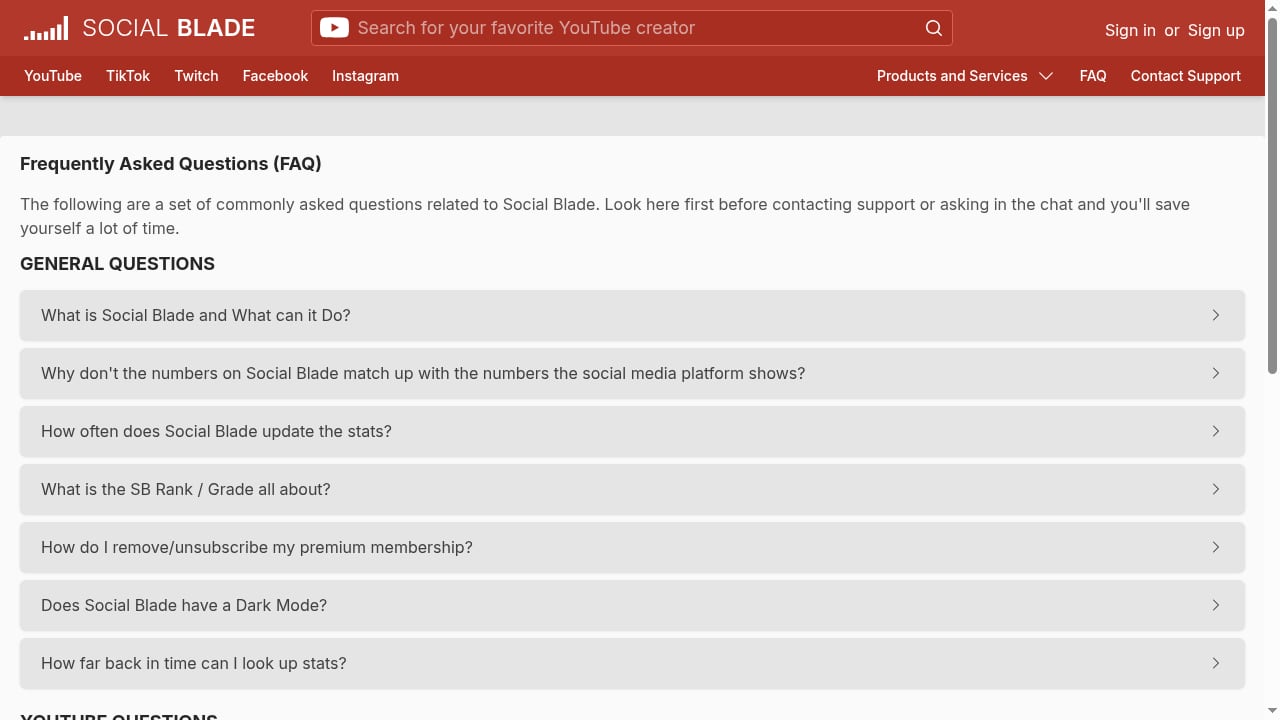
First viewport screenshot of YouTube, Instagram, Twitch, TikTok, and more Statistics - SocialBlade.com.
Most teams either over-index on public benchmarks or over-index on internal dashboards. SocialBlade gives you an outside-in view: subscriber counts, view trends, and growth curves for channels you do not own. SocialEcho gives you an inside-out view: your scheduled posts, comment sentiment, DM replies, keyword monitoring, and cross-platform performance.
Put together, they close a loop:
- SocialBlade tells you who is growing, how fast, and on which platform.
- SocialEcho tells you what your own audience is doing and lets you publish, reply, and monitor from one workspace.
- Your team uses SocialBlade benchmarks to set targets, then uses SocialEcho to execute and measure against those targets.
This is especially useful for global businesses that run YouTube, Instagram, Twitch, TikTok, and other channels simultaneously and need a single operating rhythm.
What each tool does best
First viewport screenshot of Social Blade - Social Media | YouTube | Twitch | Instagram.
SocialEcho: the operational workspace
SocialEcho covers the day-to-day work of social media teams:
- Publishing to multiple platforms, including Facebook, Instagram, TikTok, TikTok Shop, X, YouTube, LinkedIn, Telegram, Pinterest, and Threads.
- Engagement through a unified inbox for comments, DMs, and mentions, with AI-assisted replies.
- Social listening with keyword and competitor monitoring.
- Analytics with cross-platform dashboards and exportable reports.
- AI creation and automation for videos, images, captions, and reply workflows.
It is designed for creators, brand teams, and agencies that need one system of record for social operations.
SocialBlade: the public benchmark layer
SocialBlade focuses on publicly visible statistics:
- YouTube channel statistics such as subscribers, views, and estimated growth.
- Twitch user stats for streamers and channels.
- Instagram stats for public accounts.
- Side-by-side comparisons between users and channels.
It is a research and benchmarking tool, not a publishing or engagement platform. That is exactly why it pairs well with SocialEcho: it fills the external comparison gap that internal dashboards cannot.
The combined workflow: from benchmark to action
A practical weekly workflow looks like this:
- Benchmark on SocialBlade. Pick 5–10 channels or accounts in your niche. Record their subscriber counts, recent growth direction, and platform mix.
- Set targets in SocialEcho. Translate those benchmarks into realistic goals for your own accounts, such as matching a competitor's posting cadence or closing a subscriber gap over a quarter.
- Plan and publish in SocialEcho. Use AI creation and one-click publishing to produce content at the cadence your benchmark suggests.
- Engage in SocialEcho. Route comments, DMs, and mentions into one inbox and let AI-assisted replies handle repetitive questions.
- Monitor in SocialEcho. Track keywords, competitors, and sentiment to catch shifts early.
- Re-check SocialBlade monthly. Compare your public growth curve against the benchmarks you set and adjust targets.
This loop keeps benchmarking honest and keeps execution focused.
Setup steps
First viewport screenshot of Instagram opens highly-coveted verification form to the public - Social Blade.
Step 1: Connect your accounts in SocialEcho
Create a SocialEcho workspace and connect the platforms you manage. The platform uses official APIs and supports major networks including YouTube, Instagram, TikTok, X, LinkedIn, Facebook, and more. Enable behavioral data access so analytics and listening features have enough history to work with.
Step 2: Build your SocialBlade benchmark list
On SocialBlade, look up the channels and public accounts you want to track. Save them in a simple sheet with columns for platform, subscriber or follower count, recent growth direction, and posting frequency. This becomes your external reference point.
Step 3: Map benchmarks to SocialEcho goals
In SocialEcho, create goals that mirror your benchmark list. For example, if a competitor publishes five YouTube videos per week, set a publishing target that is realistic for your team. If a Twitch channel streams daily, decide whether daily streaming fits your capacity before committing.
Step 4: Configure listening and monitoring
Set up keyword monitoring for your brand, product names, and competitor names in SocialEcho. This catches mentions that SocialBlade cannot see, such as comments, DMs, and unstructured social chatter.
Step 5: Schedule a monthly review
Put a recurring review on the calendar. In that session, compare SocialEcho analytics against your SocialBlade benchmark sheet, note gaps, and adjust the next month's plan.
Practical examples
First viewport screenshot of Login - Social Blade.
Example 1: A YouTube creator planning a growth sprint
A creator wants to grow from 20,000 to 50,000 subscribers in six months. On SocialBlade, they identify three channels in the same niche that grew at that rate and note their upload frequency and video length. In SocialEcho, they set a publishing calendar that matches that cadence, use AI creation to draft thumbnails, captions, and short clips, and track comment sentiment to see which topics resonate. Each month, they re-check SocialBlade to confirm the growth curve is moving in the right direction.
Example 2: A Twitch streamer diversifying to YouTube
A streamer has a steady Twitch audience but wants to build a YouTube presence. SocialBlade shows which Twitch users successfully converted clips into YouTube growth. SocialEcho handles the cross-platform publishing of clips, schedules them, and monitors comments and mentions so the streamer can respond without switching apps. SocialBlade provides the external comparison; SocialEcho provides the execution layer.
Example 3: An agency managing multiple client accounts
An agency manages 15 client accounts across Instagram, TikTok, and YouTube. SocialBlade is used during onboarding to benchmark each client against competitors. SocialEcho is used daily for publishing, engagement, and reporting. The agency builds a monthly report that combines SocialEcho's internal metrics with SocialBlade's public benchmarks, giving clients both a mirror and a map.
Problems the combination solves
- Benchmarking without execution. SocialBlade alone tells you who is winning but not how to respond. SocialEcho turns benchmarks into scheduled posts, replies, and monitoring.
- Execution without context. SocialEcho alone shows your own numbers but not how they compare to the market. SocialBlade adds the external reference.
- Tool sprawl. Instead of juggling a publishing tool, an inbox tool, a listening tool, and a stats site, teams use two complementary layers: one operational, one analytical.
- Slow reporting. Combining internal dashboards with public benchmarks reduces the manual work of building competitive reports.
- Missed signals. SocialBlade tracks public growth; SocialEcho tracks mentions, sentiment, and DMs. Together they cover both structured and unstructured signals.
Decision guidance: when to use which
| Need | Best tool |
|---|---|
| Publish to multiple platforms | SocialEcho |
| Reply to comments and DMs at scale | SocialEcho |
| Monitor keywords and sentiment | SocialEcho |
| Compare public channel growth | SocialBlade |
| Research a competitor's YouTube history | SocialBlade |
| Build a monthly client report | Both |
| Set growth targets | Both |
If your priority is operational efficiency, start with SocialEcho. If your priority is market research, start with SocialBlade. If you need both, run them as a pair.
Related reading
- SocialEcho vs Agorapulse vs Cloud Campaign: Best Fit 2026 - SocialEcho vs Agorapulse vs Cloud Campaign compared for 2026: AI automation, publishing, listening, agency white-labeling, pricing models, and best-fit guidance.
- Emplifi Review 2026: AI Social Media Management & CX Platform - Evidence-based Emplifi review for 2026: AI social media management, commerce, care, pricing signals, setup, strengths, and real limitations.
Sources and further reading
- SocialEcho - All-in-One Social Media AI Workspace for Global Businesses - Manage content, messages, and data in one place, with security and compliance built in. 7-day free trial, no credit card required.
- SocialEcho 2.0 Tutorial: Fix Low Engagement with AI - Master SocialEcho 2.0 to identify root causes of social media engagement drops. Learn to use predictive behavioral modeling and sentiment analysis for 2026.
FAQ
Can SocialEcho replace SocialBlade?
No. SocialEcho focuses on managing your own accounts, while SocialBlade focuses on public statistics for channels and users. They solve different problems and work best together.
Can SocialBlade replace SocialEcho?
No. SocialBlade does not publish content, manage engagement, or run listening workflows. It is a benchmarking and research tool.
Which platforms does SocialEcho support?
SocialEcho supports major platforms including Facebook, Instagram, TikTok, TikTok Shop, X, YouTube, LinkedIn, Telegram, Pinterest, and Threads.
Which platforms does SocialBlade cover?
SocialBlade provides statistics for YouTube channels, Twitch users, Instagram accounts, and more, with comparison features for analyzing growth.
Do I need both tools for a small team?
If you only manage one channel and do not need competitive benchmarks, one tool may be enough. If you manage multiple platforms or clients, the combination saves time and improves decision quality.
How often should I review benchmarks?
Monthly is a practical cadence for most teams. Fast-moving niches may benefit from a biweekly review.
Conclusion
SocialEcho and SocialBlade are complementary layers of the same workflow. SocialBlade gives you the outside view: who is growing, how fast, and on which platform. SocialEcho gives you the inside view and the controls: publishing, engagement, listening, analytics, and AI automation. Used together, they help global businesses and creators set better targets, execute faster, and prove progress with both internal and external evidence.
To go deeper on tool selection, see our comparison of SocialEcho vs Metricool and our guide to white-label social media management software. For automation beyond native features, read how to use SocialEcho with Make.
For official product details, visit SocialEcho and SocialBlade.